WeChat Pay: Setup and When to Use It
WeChat is essential for messaging in China; WeChat Pay is your backup wallet. How to register without getting blocked, link a foreign card, pay via QR, and what foreign cards cannot do.
Set up WeChat for communication first, payments second. Hotels, guides, and drivers will ask for your WeChat — and some small merchants only take WeChat Pay. Foreign cards (Visa, Mastercard, JCB, Discover, Diners) link directly, with the same fee rule as Alipay: free under ¥200, 3% above. But limits are tighter (¥6,500 per transaction, ¥65,000 per year) and card acceptance is less reliable, so keep Alipay as your primary wallet and WeChat Pay as the backup.
Step 1: Register your account
- Sign up with your home number
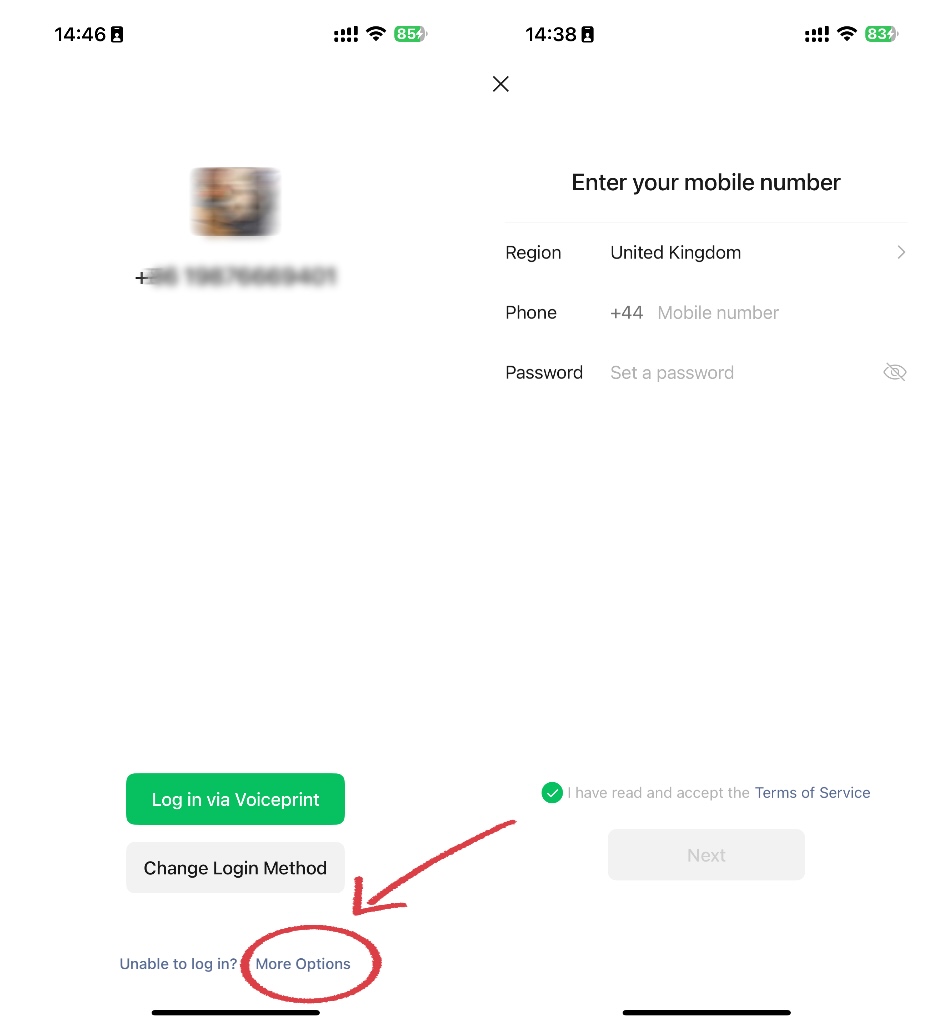
Open WeChat, tap "More Options" at the bottom left, then "Sign Up". Pick your country code from the dropdown — don't type it into the number field.
- Receive the SMS code
Enable roaming, wait up to 60 seconds, and use the Voice Call option if SMS doesn't arrive. VoIP numbers (Google Voice, Skype) are rejected — you need a real mobile number.
- Handle friend verification if asked
New accounts often require an existing WeChat user to scan a QR code for you. The verifier needs an account 6+ months old. Hotel reception is the easiest fix; tour guides and local contacts also work.
- Bind an email as backup
Me > Settings > Account Security > Email. If WeChat locks you out on a new device mid-trip, the email is your recovery path.
Step 2: Activate WeChat Pay with a foreign card
- Open the wallet
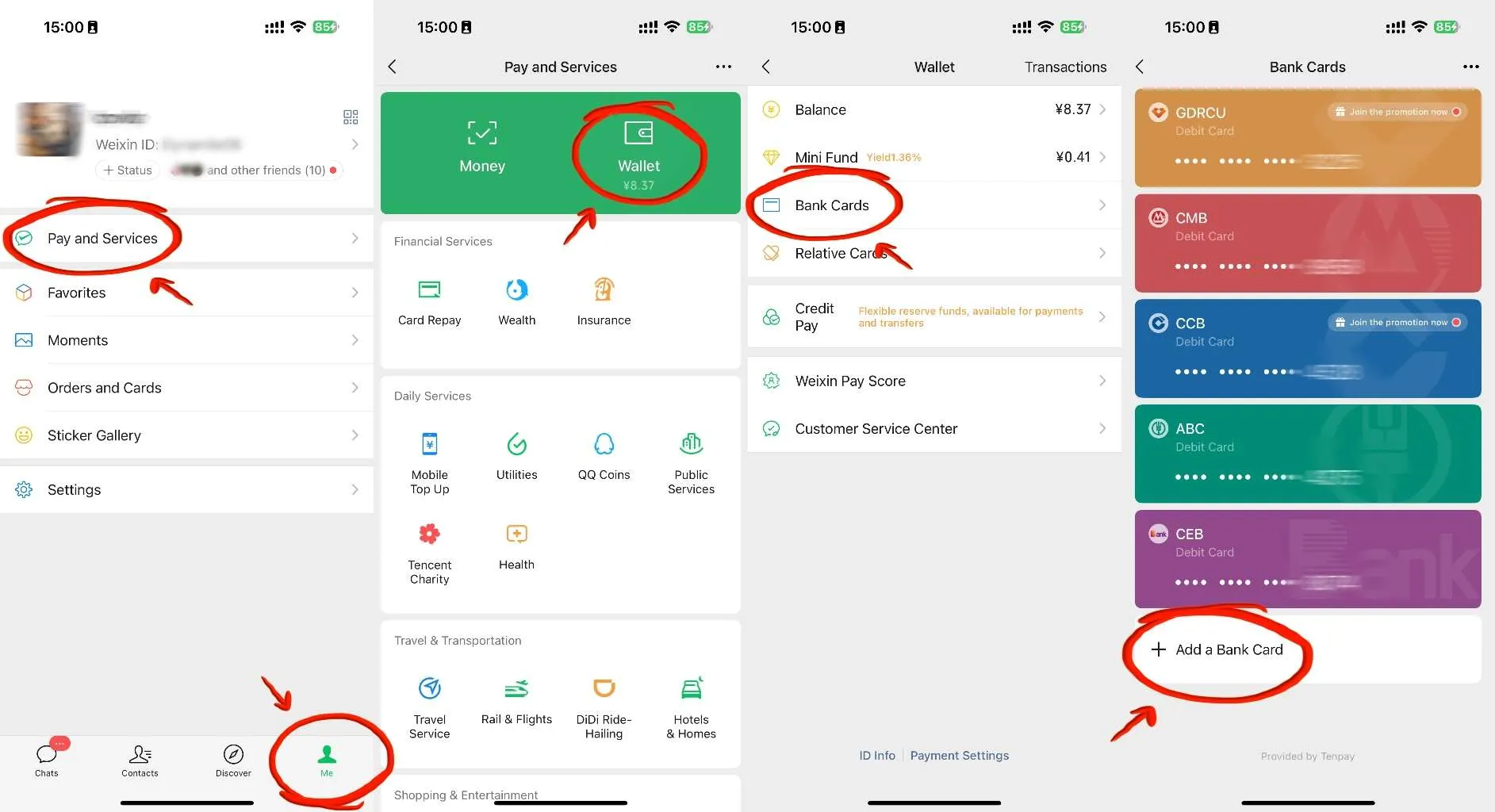
Me > Services (or "Pay and Services") > Wallet > Bank Cards > Add a Card.
- Enter card details
Visa, Mastercard, JCB, Discover, and Diners Club are accepted. Name must match the card exactly. Some cards return "not supported" — Mastercard tends to succeed more often than Visa.
- Verify identity with your passport
WeChat will ask you to upload your passport photo page. Without it, payment stays blocked or heavily capped.
- Test with a small payment
Buy something under ¥200 at a convenience store before relying on it.
Foreign-card limits on WeChat Pay
| Item | Amount |
|---|---|
| Fee, payment under ¥200 | Free |
| Fee, payment over ¥200 | 3% |
| Single transaction | ¥6,500 max |
| Monthly total | ¥50,000 |
| Annual total | ¥65,000 |
| Transfers, red packets, receiving money | Not available with foreign cards — store payments only |
Mini Programs worth knowing
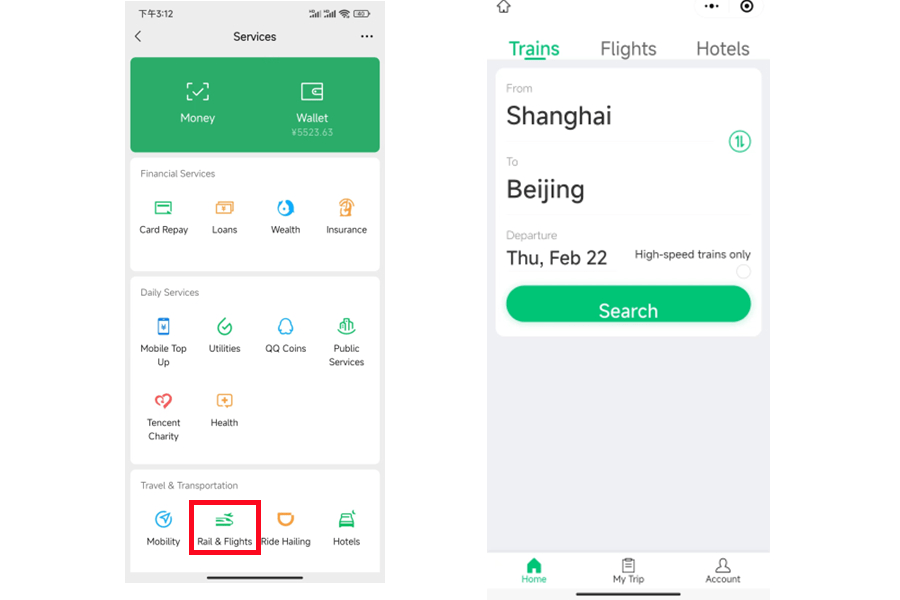
WeChat Mini Programs open services without separate apps. Most are Chinese-only — screenshot and translate when stuck — but these are usable:
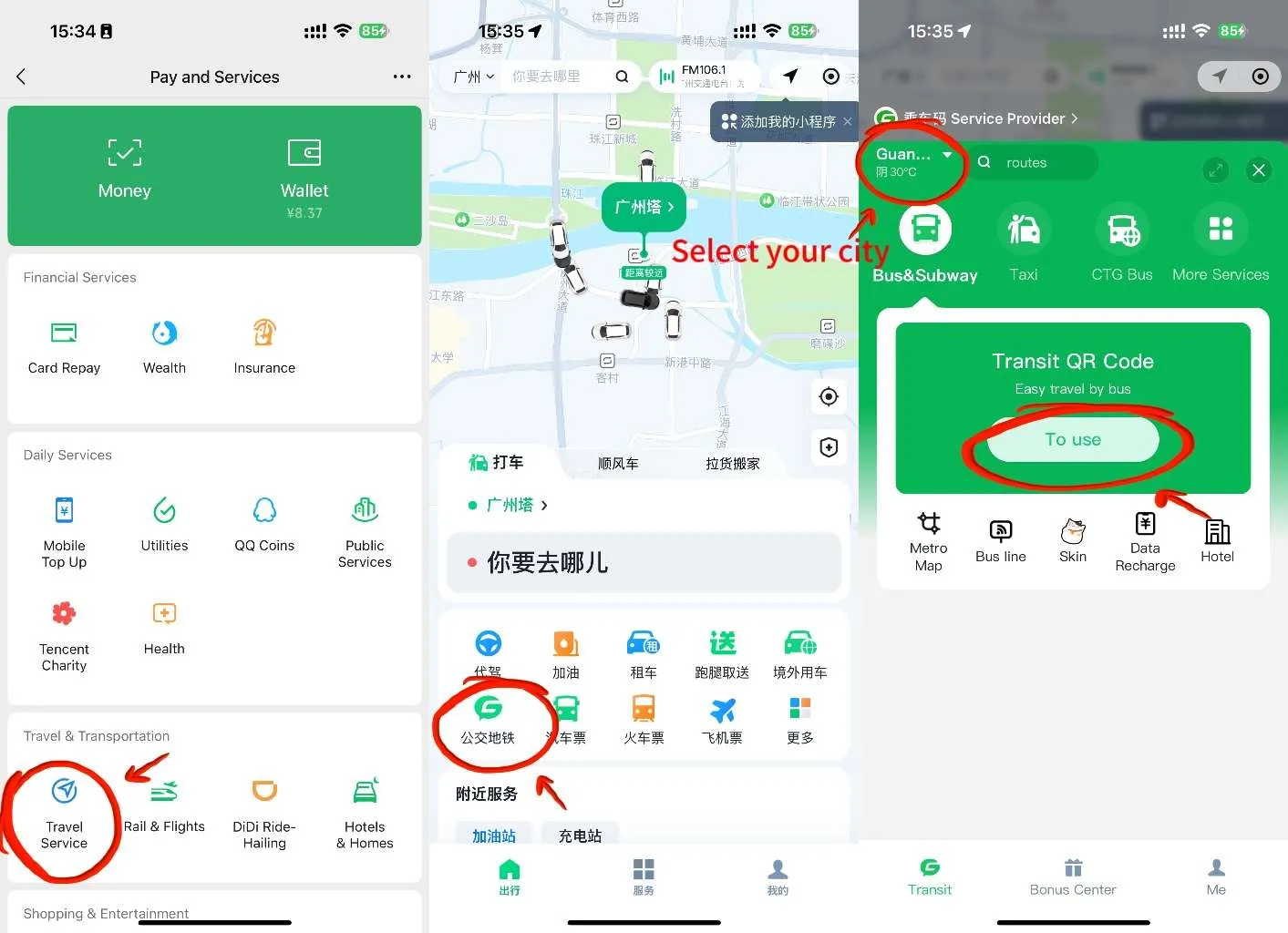
- Metro and bus QR codes: Me > Services > Transport (select your city)
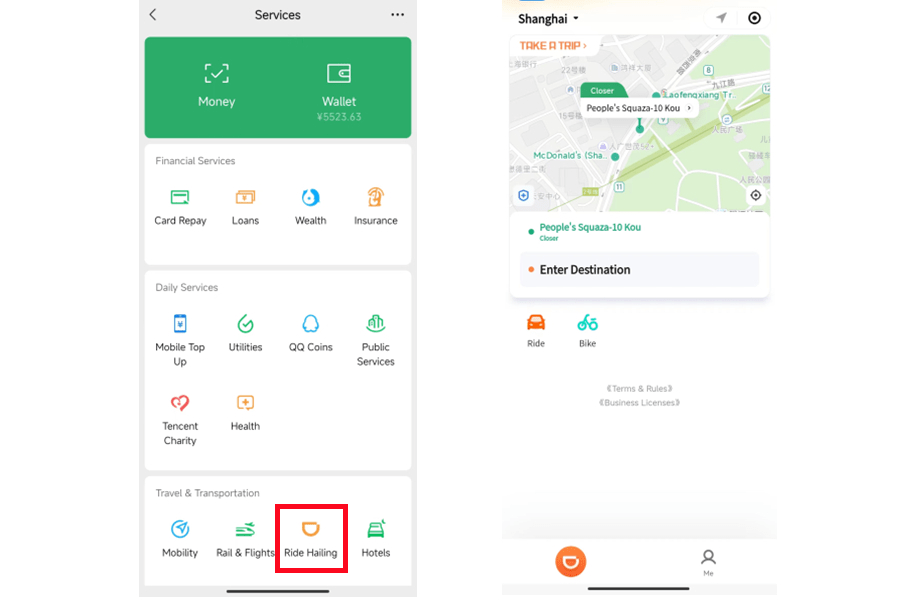
- DiDi ride-hailing: Services > Ride Hailing, partial English support
- Train tickets: Services > Rail & Flights
- Restaurant ordering: scan the QR code on your table
Built-in translation
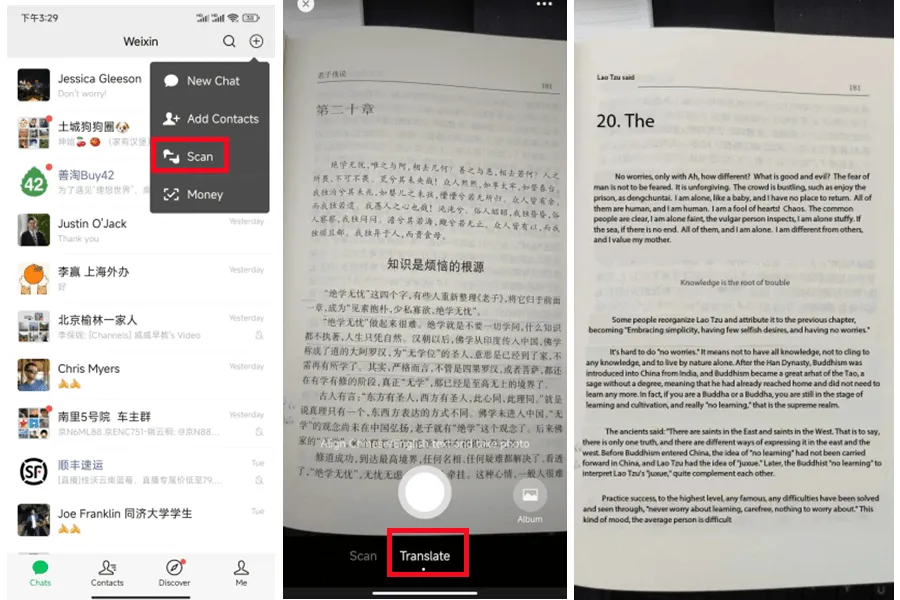
Long-press any Chinese chat message and tap "Translate". For menus and signs, tap + > Scan and point the camera at the text. Both need an internet connection.
When it fails
Registration
Friend verification — nobody to ask?
Hotel reception staff are the standard answer once you arrive. Before the trip: a friend who uses WeChat, or try registering late at night China time, on stable WiFi — verification triggers less often.
Account blocked right after registration
New accounts from unusual locations get temporarily blocked. Wait 24 hours, retry on WiFi rather than mobile data. This is exactly why you register two weeks early.
"Invalid phone number" error
Country code must come from the dropdown, not typed into the field. Mobile numbers only, no spaces or symbols.
Payments
Card linked but payment rejected
A known pattern: payments under ~¥300 succeed while larger ones fail with a "suspicious transaction" error. Try a smaller amount, or switch to Alipay for that purchase.
"Not from China" error at checkout
Some merchants aren't authorized to accept foreign-card WeChat Pay. Not your fault — ask for Alipay or pay cash.
Merchant only takes WeChat Pay and mine doesn't work
Ask for cash, or ask a local to pay and reimburse them in cash. This mostly happens at tiny street vendors.
Someone sent me a red packet
You can't receive money with a foreign-card account. Thank them and decline — the money returns to the sender automatically after 24 hours.