Does Apple Maps Work in China? The Map Apps That Actually Help
On this page11 sections
- 01Best map app in China: the quick decision
- 02Does Apple Maps work in mainland China?
- 03AMap Global in July 2026: HiChina changes the recommendation
- 04Why Google Maps is a poor primary map in mainland China
- 05What about Baidu Maps?
- 06Build an offline backup before leaving the hotel
- 07A reliable two-app setup
- 08How to search a Chinese address without speaking Chinese
- 09Map mistakes that waste the most time
- 10Frequently asked questions
- 11Sources
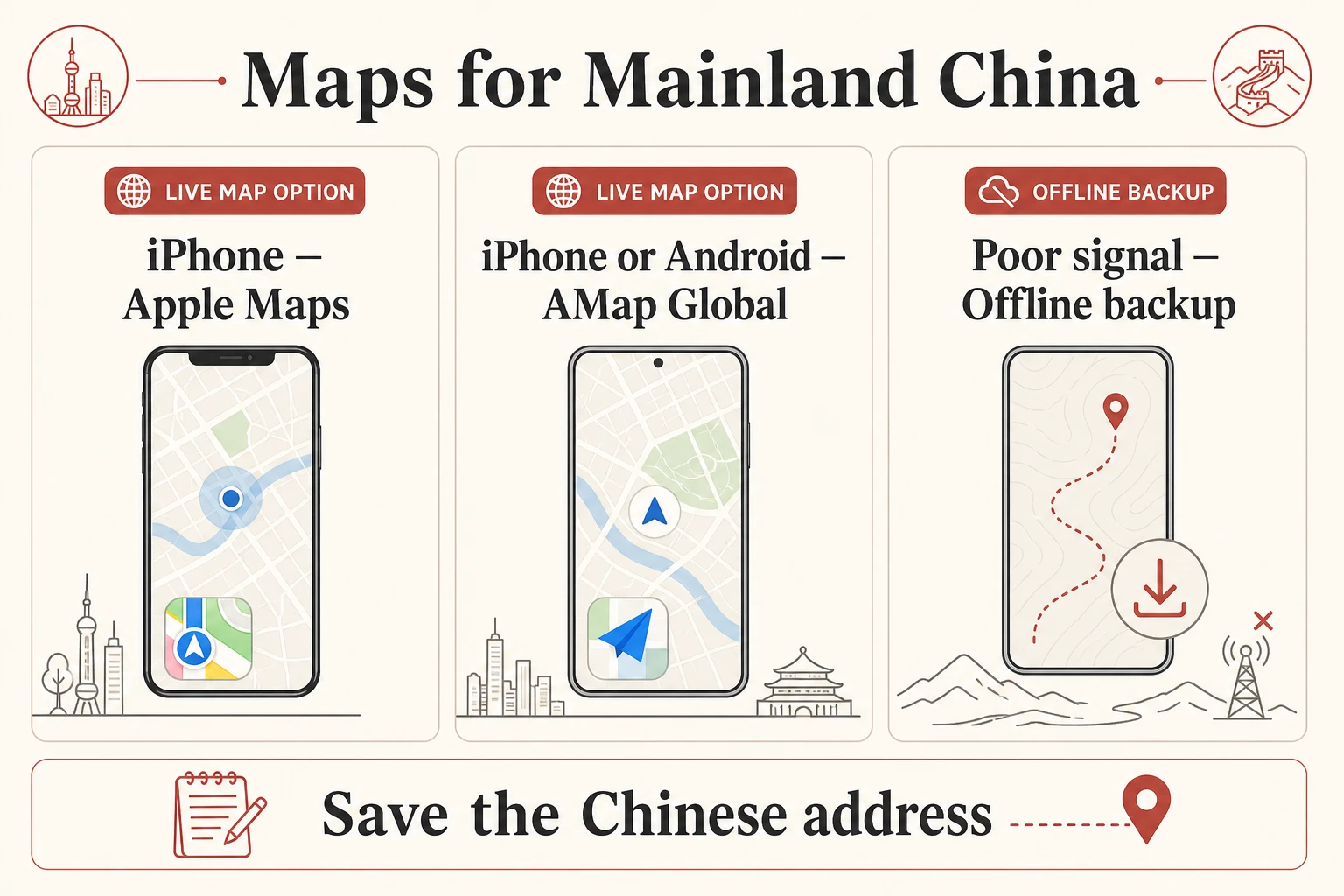
Yes, Apple Maps works in mainland China on an iPhone. Apple says its China service uses AMap's mapping service, so it remains a familiar option for iPhone users. The bigger 2026 change is AMap Global: version 16.21.1 was released on iOS on July 21, and its Android listing was updated the same day, with a new HiChina travel layer for international visitors. Google Maps should not be your only navigation tool in mainland China.
The practical setup is simple: install two maps, not six. Use AMap Global as the local-first map; on iPhone, keep Apple Maps as the familiar second view. Add an offline map for poor reception and save the exact Chinese name and address for your first hotel before you fly.
Best map app in China: the quick decision
Your situation | Best starting choice | Backup |
|---|---|---|
iPhone, first visit | AMap Global or Apple Maps | Whichever one is not your primary map |
Android, want English local data | AMap Global | Offline map |
Hiking or weak mobile coverage | Current local trail information plus offline map | Paper or official scenic-area map |
Planning before entering mainland China | Any familiar planning map | Recheck every route in Apple Maps or AMap after arrival |
No single app solves every problem. Chinese addresses may be translated differently, small businesses change, and an attraction entrance can be far from the map pin. The useful question is not “Which map has everything?” but “Which map is reliable for this leg of the trip?”
Google Maps doesn't work well in China.
Get offline city maps, metro guides, and one-tap Chinese addresses that do.
Does Apple Maps work in mainland China?
Apple Maps is a sensible default for iPhone users. Apple's privacy disclosure says that Apple Maps in China uses the AutoNavi Maps Service. That local data relationship is why Apple Maps is more useful on the mainland than many travelers expect.
Apple Maps is especially good for:
a familiar English interface;
walking and driving orientation in major cities;
checking available public-transport options;
sharing a place between Apple devices;
getting oriented immediately after landing.
Its limitations are practical. A restaurant's English name may not match the sign outside. A historic complex may have several gates, while the pin represents only the center. Small lanes and recently changed businesses may be easier to identify by Chinese name.
Save the Chinese address from your hotel, ticket or attraction's official account. If a search in English fails, paste the Chinese name into Apple Maps. For ride-hailing, send the exact pickup point to DiDi instead of assuming the destination pin is also a good curbside pickup.
Apple documents offline maps as a feature available only in select regions. Do not assume that the download button or full offline coverage will be available for every mainland-China area. Check the exact destination on your own device before the day you need it.
Do not treat a failed route test before departure as proof that the same route will work or fail after arrival. Map coverage, route availability and local transport data can differ by location and network conditions. Save your first-night address separately and keep a second map ready.
AMap Global in July 2026: HiChina changes the recommendation
AMap is AutoNavi's consumer map. Its official international listing now promotes AMap Global as more than a translated navigation app. The July 2026 HiChina update adds trip preparation, arrival and customs-exit guidance, internet-access tips, hotel matching and routes, taxi and public-transport planning, bilingual help cards, nearby food and attraction rankings, emergency contacts and local-culture tips.
That update is why older articles describing AMap as Chinese-only are no longer adequate. The official iOS listing shows version 16.21.1 on July 21, 2026, and Google Play shows an update on the same date. For a foreign visitor installing one local map before departure, AMap Global is now the strongest starting recommendation on both iPhone and Android.
AMap Global is useful when:
you want the new HiChina arrival and travel tools in one place;
Apple Maps cannot find a local place by its English name;
you want more detailed metro, bus or walking choices;
you are using Android;
a local venue shares an AMap pin;
you need a second opinion on an entrance or route.
The app can still surface Chinese place names, notices or merchant content. HiChina does not make every local listing bilingual. Save destinations in advance and compare the Chinese characters on the map with the characters in the booking confirmation.
For buses, do not treat an app's predicted arrival as a guaranteed timetable. Road conditions and service changes matter. This is particularly important for long scenic routes such as Qingdao's coastal Bus 618.
Why Google Maps is a poor primary map in mainland China
Google Maps is not a dependable live-navigation choice in mainland China. Current UK government travel advice says Google services are permanently blocked on ordinary mainland internet access. Even if cached information is visible or your roaming setup can reach the service, place listings and local route coverage should not be the only source for a time-critical transfer.
Google Maps remains useful outside the mainland and for broad pre-trip orientation. The mistake is using it as the only saved map for a station transfer, hotel arrival or attraction entrance after crossing into mainland China.
Before arrival, copy critical destinations into Apple Maps or AMap Global. Check the actual railway station name carefully: “Shanghai” and “Shanghai Hongqiao” are not interchangeable. Our 12306 English booking guide includes the station checks to make before buying.
What about Baidu Maps?
Baidu Maps has rich local data, but the interface is designed primarily for Chinese users. It can be valuable if you read Chinese or are comfortable translating screenshots. For most English-speaking first-time visitors, AMap Global offers a gentler starting point.
Do not install Baidu merely because an old article calls it mandatory. Install it when you have a clear use for its local data and can operate the interface safely.
Build an offline backup before leaving the hotel
An offline map is insurance, not a replacement for current local routing. Apps such as Organic Maps can store OpenStreetMap-based map data on the phone. That can help you see streets and saved pins without a data connection.
An offline map may not know:
that a gate is temporarily closed;
that a bus route changed;
that a mountain trail is restricted;
that a shop moved;
that a station now uses a different entrance.
Download the area on Wi-Fi, add your hotel and station, then test airplane mode. Also save the destination name and address as text. A screenshot of an English pin is less useful to a taxi driver than the Chinese address.
The printable Before China phone setup checklist gives you one place to confirm maps, payments, mobile data, train access and first-night backup details.
A reliable two-app setup
iPhone
Install AMap Global for HiChina, local-detail searches and route comparison. Keep Apple Maps as the familiar second view. Add an offline map for destinations where mobile coverage is uncertain.
Android
Use AMap Global as the live local map. Add an offline map before travel. If your phone normally depends on Google services, test all essential apps after you enter mainland China rather than discovering a dependency at the station.
Hiking and scenic areas
Consumer maps are not a substitute for an official trail notice. Use the scenic area's current map, follow closures and weather instructions, and keep enough time to return before the last internal shuttle or cableway. This matters in complex parks such as Zhangjiajie.
How to search a Chinese address without speaking Chinese
Ask your hotel or booking provider for the destination in Chinese, including the city and district. Copy the full text into the map. Then confirm the result using at least two of these signals:
matching Chinese characters;
matching phone number;
matching district;
nearby landmark or metro station;
an official map link from the venue.
For a hotel, save both the property name and street address. International hotel brands sometimes have several branches with similar English names.
Create a small offline destination card before each transfer: Chinese name, full Chinese address, phone number, nearest metro station and a screenshot of the pin. For a station, park or museum, save the entrance you intend to use rather than the center of the map polygon. This gives a driver or station employee enough context to correct the pin without guessing from an English name.
Map mistakes that waste the most time
The most expensive errors are usually ordinary:
navigating to the center of a huge attraction instead of its visitor entrance;
selecting the wrong railway station;
using a road pin that cars cannot legally stop beside;
trusting an old restaurant listing without a recent check;
assuming an offline map contains live transit changes;
sharing an English place name when the driver needs a Chinese pin.
For ride-hailing, our DiDi guide for foreign visitors explains how to check the pickup point before requesting the car.
Frequently asked questions
Does Apple Maps need a VPN in China?
Apple Maps uses a China map service supplied by AutoNavi. Your access to other internet services depends on your connection and provider, but Apple Maps should not be treated as equivalent to Google Maps.
Is AMap available in English in 2026?
Yes. AMap Global's official listings describe an international travel experience, and the July 2026 HiChina update adds bilingual help cards and arrival tools. Some local content or place names may still appear in Chinese.
Can I download all of China in Apple Maps?
Do not assume so. Apple says offline maps are available in select areas. Check the download option for the exact area on your device and keep another offline backup if the route is important.
Which app should I show a taxi driver?
Show the Chinese destination name and address, ideally as a local map pin. The English brand name alone can be ambiguous.
Sources
Apple Maps and privacy: service in China, dated 2026-05-11 and checked 2026-07-26.
Apple Support: download maps for offline use, checked 2026-07-26.
AMap Global official App Store listing: version 16.21.1 and HiChina, checked 2026-07-26.
AMap Global official Google Play listing: updated 2026-07-21, checked 2026-07-26.
UK government China travel advice: internet access and blocked Google services, checked 2026-07-26.
Tags
Google Maps doesn't work well in China.
Get offline city maps, metro guides, and one-tap Chinese addresses that do.
Travelers also asked
View all →- Which iPhone mapping apps work in China and Hong Kong, and do they display English street names?
- What digital tools do I absolutely need before landing in China to avoid getting stuck?
- How difficult is independent travel in China regarding transport and payments, and are local guides necessary?
- What essential digital preparations should I make before arriving in China as a first-time visitor?