Does Google Maps Work in China? (and the Maps That Actually Do)
Does Google Maps Work in China? (and the Maps That Actually Do)
No. Google Maps is blocked in mainland China, and even on a VPN it is unreliable: China's GCJ-02 coordinate system shifts the street layer 100 to 700 meters off your real position. Apple Maps, Amap, and Baidu all work with no VPN and no workaround, because they use China's licensed map data.
The Short Answer: No, and a VPN Doesn't Really Fix It
Google Maps does not work in mainland China. Like the rest of Google's services, WhatsApp, Instagram, YouTube, and Facebook, it sits behind the Great Firewall and simply will not load on a normal Chinese connection. That part most travelers already expect.
What surprises people is the second problem: even when you force Google Maps to load through a VPN, the map itself is wrong. China requires all licensed maps to use a scrambled coordinate system called GCJ-02, which deliberately offsets locations from the global GPS standard (WGS-84) that your phone's GPS chip reports. Google's street map uses the shifted Chinese data, but your blue dot follows true GPS, so the two never line up. The result is a pin that floats anywhere from 100 to 700 meters away from where you are actually standing. On Google, the satellite layer and the street layer don't even match each other.
So the honest answer is not just "blocked." It's that Google Maps in China is the wrong tool twice over: you can't reach it without a workaround, and the workaround still leaves you turning down the wrong street. Don't plan to rely on it.
Google Maps doesn't work well in China.
Get offline city maps, metro guides, and one-tap Chinese addresses that do.
Why GCJ-02 Breaks Google but Not the Local Apps
Every consumer map in China is legally required to use GCJ-02, the obfuscated coordinate datum maintained by China's state surveying authority. Apps built for China, Amap, Baidu, and Apple Maps, apply a correction so the GCJ-02 map and your real GPS position match up perfectly. Your pin lands where you actually are.
Google never received a mainland mapping license, so it cannot legally apply that correction across the platform. It pulls street data from Autonavi (the company behind Amap) in the shifted GCJ-02 frame, but it doesn't reconcile that with the raw GPS coordinates your phone feeds it. That mismatch is the offset you see. It is not a glitch you can clear by reloading or by switching servers, it is baked into how the data is licensed.
The practical takeaway: this is a problem only Chinese-licensed apps have solved. You don't fix Google Maps in China, you replace it. The good news is the replacements are free, accurate, and need no workaround at all.
The Maps That Actually Work (and Which to Pick)
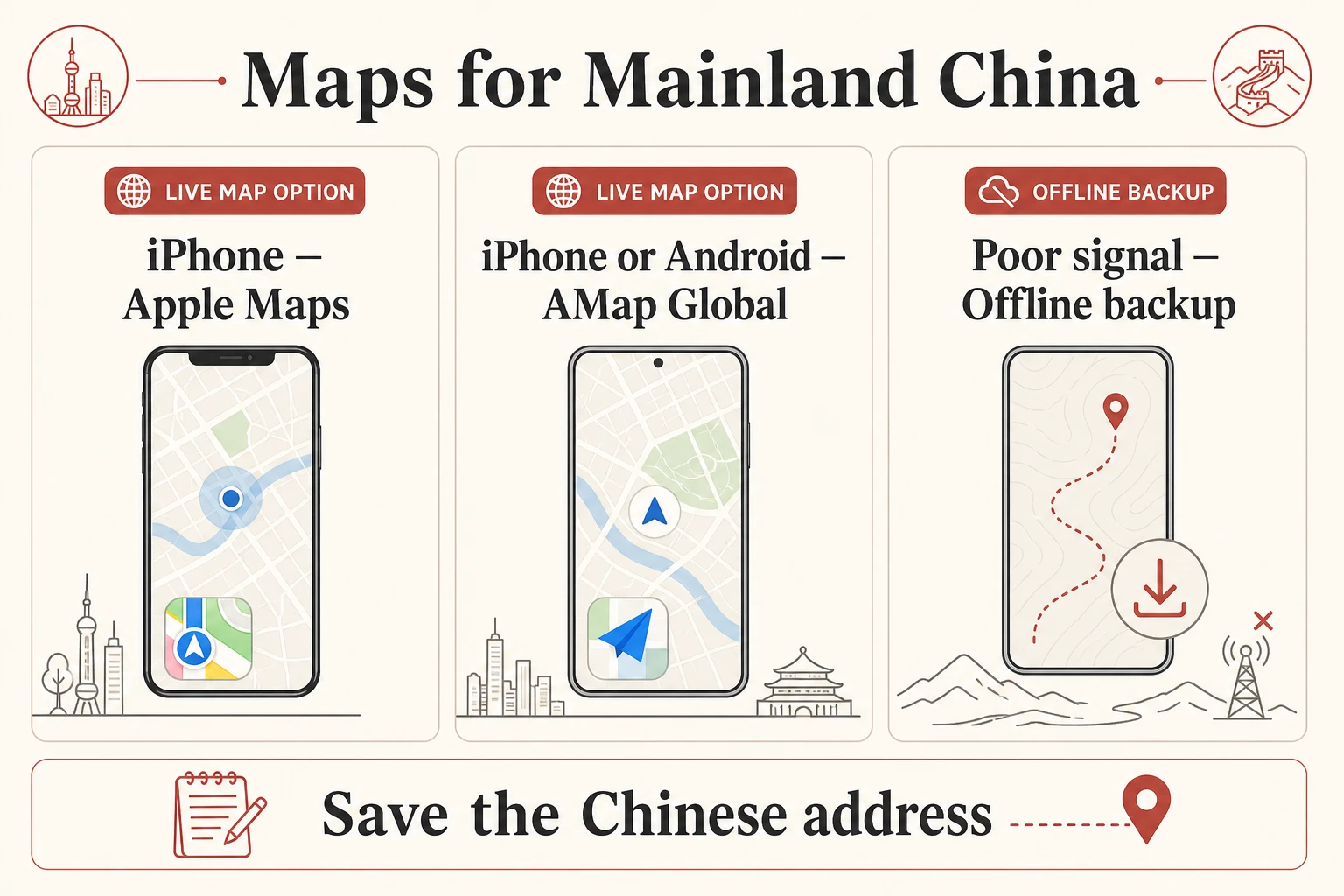
On an iPhone, Apple Maps is the easiest answer. Inside mainland China it automatically switches to Amap's licensed data, and as long as your phone's region is set to a non-China country, it works over any connection with a full English interface, live traffic, and metro and bus routing. There's nothing to install and no VPN involved. For most iPhone travelers, Apple Maps alone is enough.
On Android, or if you want the most complete local data, install Amap (Gaode). It has a genuine English mode that translates the interface, place names, and transit directions, and it shows exact subway exit numbers, which is gold inside China's sprawling stations. Baidu Maps has deeper coverage in smaller cities but its English support is thin, so unless you read Chinese, treat it as a backup rather than your main app. All three use GCJ-02, so the GPS pin is accurate on every one of them. If you want the full side-by-side breakdown of features and setup, see our guide to the best map app in China.
One thing none of these covers: searching for restaurants, opening hours, or reviews in English the way you would on Google. The local apps lean heavily on Chinese reviews. That gap is exactly why we built the MyChinaGuide app, which pairs accurate offline-ready navigation with curated, English-language places, so you're not stuck machine-translating a menu in the dark.
Where the VPN Question Actually Bites
You don't need a VPN for maps. You may still want one for everything else Google touches, Gmail, Google search, YouTube, plus WhatsApp and Instagram. But be realistic about reliability in 2026.
Since the April 2026 crackdown, China's three state carriers began blocking VPN-signature traffic on detection, with no grace period. Long-term residents report that mainstream VPN brands that worked for years now fail outright or drop constantly. A good VPN can still work, but it has become a coin flip, and you can no longer treat it as a guaranteed connection. If you go this route, install and test it before you fly, because VPN websites and app stores are themselves blocked once you're inside China. We keep a current rundown in our best VPN for China guide.
For the specific job of using Google's own apps abroad, including loading Google Maps if you genuinely need it, the more dependable 2026 fix isn't a VPN at all, see the next section.
The Reliable 2026 Fix: a Roaming eSIM
The most dependable way to keep Google, WhatsApp, and Instagram working in China is a roaming travel eSIM (Nomad, Airalo, Holafly and similar). Here's why it beats a VPN: its mobile data doesn't exit through the Chinese internet at all. The connection roams out through a foreign network, typically Hong Kong or Singapore, so your traffic never hits the Great Firewall in the first place. There's no VPN app to install, nothing to configure, and nothing for the carriers to detect and block. You turn it on and Google Maps, Gmail, and WhatsApp simply load.
Buy and install the eSIM before you land. App stores and provider sites are reachable now and blocked later, so set it up at home while everything still works. It's also the cleanest way to be online the moment you step off the plane, before you've found any WiFi. We compare the providers, data plans, and prices in our roaming eSIM for China guide.
Even with an eSIM, you still want a local map app installed, because GCJ-02 means Google Maps will be offset whether the firewall is in the way or not. The eSIM gets Google's services to load; Amap and Apple Maps are what get you to the right doorway.
The WiFi Gap That Catches Everyone
Here is the trap that quietly ruins a lot of eSIM setups: an eSIM only bypasses the firewall on its own mobile data. The second you connect to hotel WiFi, café WiFi, or airport WiFi, your traffic routes back through Chinese infrastructure, and the firewall is back in full force. Google, Gmail, and WhatsApp stop loading, and travelers usually blame the eSIM when the WiFi is the real culprit.
The fix is simple once you know it: keep your phone on the eSIM's mobile data for anything that touches a blocked service. Use local WiFi only for things that don't, like WeChat, Chinese apps, or large downloads. If a Google service suddenly dies in your hotel room, your first move is to turn WiFi off and let mobile data take over.
This also applies to maps. Apple Maps, Amap, and Baidu work fine on any connection because they're licensed locally, but if you're depending on Google's services through an eSIM, the WiFi gap will catch you. Plan your connection before you land, not after you're standing in a lobby wondering why nothing loads.
FAQ
Does Google Maps work in China with a VPN?
Only partially, and not reliably. A VPN can get Google Maps to load past the Great Firewall, but China's GCJ-02 coordinate system still offsets the street map 100 to 700 meters from your real GPS position, so navigation is inaccurate. On top of that, VPNs became unreliable after the April 2026 crackdown. Use Apple Maps or Amap instead.
What map app should I use in China instead of Google Maps?
On iPhone, Apple Maps works with no setup and no VPN, automatically using Amap's licensed China data with an English interface. On Android, install Amap (Gaode), which has a real English mode and shows exact subway exit numbers. Both place your GPS pin accurately. Baidu Maps is a backup for smaller cities but has weak English support.
Why is Google Maps inaccurate in China even when it loads?
China legally requires maps to use a scrambled coordinate system called GCJ-02, which is offset from the global GPS standard your phone uses. Locally licensed apps correct for it; Google isn't licensed to, so its street map and your real position never line up, leaving you 100 to 700 meters off.
Does Apple Maps work in China without a VPN?
Yes. Inside mainland China, Apple Maps automatically switches to Amap's licensed map data and works over any connection with no VPN, as long as your phone's region is set to a non-China country. You get an English interface, live traffic, and metro and bus directions out of the box.
Will a travel eSIM let me use Google Maps in China?
A roaming eSIM lets Google's services load because its mobile data exits through a foreign network and skips the Great Firewall, no VPN needed. But Google Maps is still GCJ-02 offset, so it won't navigate accurately. Use the eSIM for Gmail and WhatsApp, and use Apple Maps or Amap for actual directions.
Do I need to set up my maps and connection before arriving in China?
Yes. App stores, VPN websites, and Google services are all blocked once you land, so download your map app and buy and install your eSIM or VPN before you fly. Apple Maps and Amap work on arrival; an eSIM gets you online the moment you leave the plane.
Tags
Google Maps doesn't work well in China.
Get offline city maps, metro guides, and one-tap Chinese addresses that do.
Travelers also asked
View all →- Which iPhone mapping apps work in China and Hong Kong, and do they display English street names?
- Can I just use Chinese alternatives instead of a VPN after moving to China?
- For a short China trip, should I rely on eSIM, roaming, or VPN if I need stable access to Google, Zoom, Slack, or Office365?
- What essential digital preparations should I make before arriving in China as a first-time visitor?