How to Book China Train Tickets on 12306 as a Foreigner: The Actually-Working Guide
How to Book China Train Tickets on 12306 as a Foreigner
Quick answer: Yes—foreigners can book China train tickets on the official 12306 app or website using only a passport, with no Chinese phone number or bank card required. Switch the app to English, register with your passport and an email, complete free online identity verification (usually a few minutes to a few days), then pay with a Visa, Mastercard, JCB, or Diners card.
12306 is the official China Railway booking platform. For foreign travelers, the English app and English website now make it possible to register with a foreign passport, activate the account by email, complete real-name verification, and book China train tickets without relying entirely on an agent.
This guide focuses on the actually-working 12306 flow for foreigners: switch the app to English, register with your passport, activate the account, complete passport verification, then search and pay for high-speed rail tickets.
Tips for foreigners using 12306
Use the English version if you are registering with a foreign passport.
Your passport name and passport number must match exactly across registration, verification, ticket purchase, and station entry.
You can usually search train schedules at any time, but ticket sales and changes are not always 24/7.
You normally need account activation and real-name verification before ticket purchase works reliably.
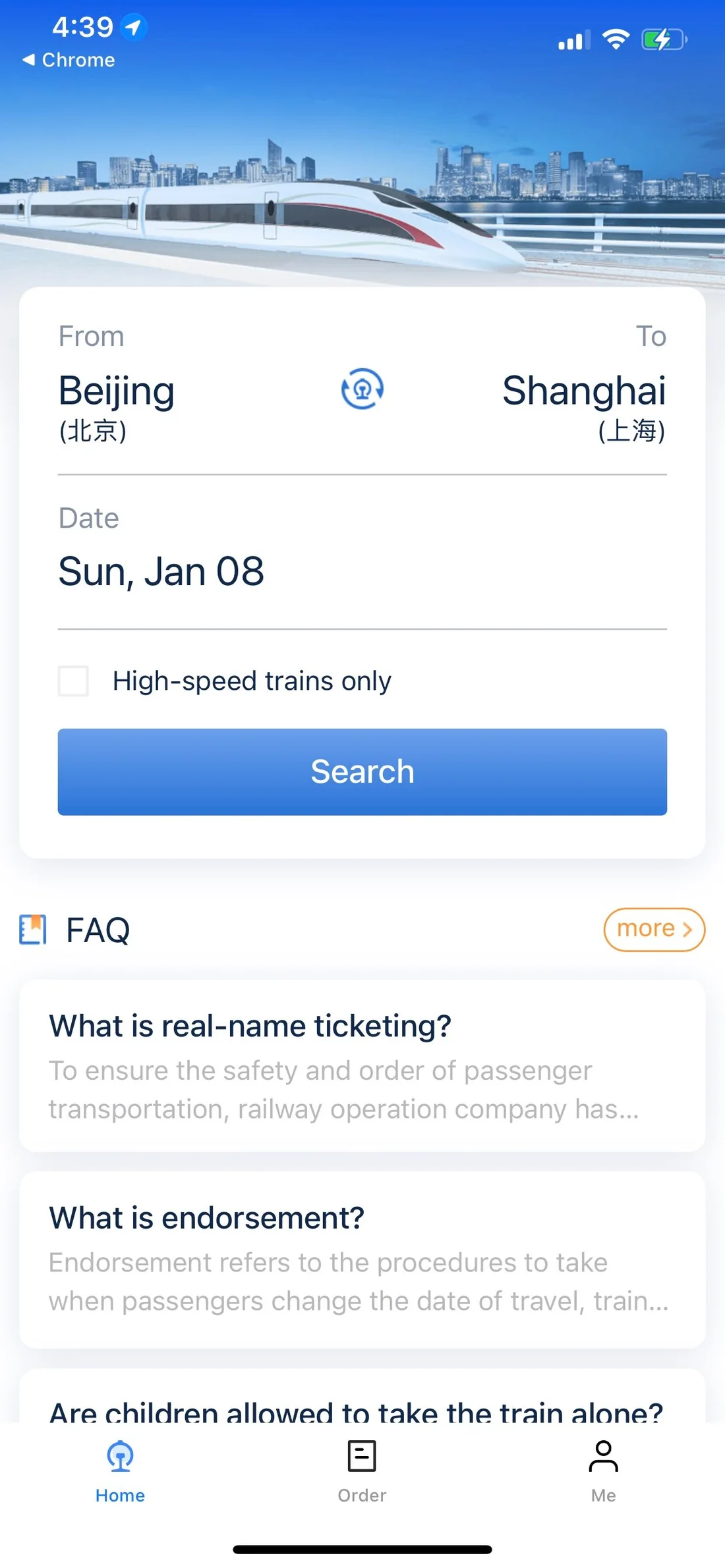
12306 English app train ticket search screen. This is the cleanest starting point for foreigners booking China train tickets.
Before you start
Prepare these before opening 12306:
A valid foreign passport, with the same passport you will use to travel in China.
An email address you can access immediately for activation.
A mobile phone number that can receive verification messages.
A payment card or supported payment method for China railway booking.
Your exact passport spelling, including surname and given names.
The most common failure point is name formatting. 12306 and railway station checks are strict because China train tickets use real-name ticketing. Enter your name as it appears on the passport, and keep the same document for the entire trip.
Step 1: Switch the 12306 app to English
The 12306 app may open in Simplified Chinese by default. To change it, tap the “Me” tab, open settings, choose Language Settings, select English, and confirm the switch.
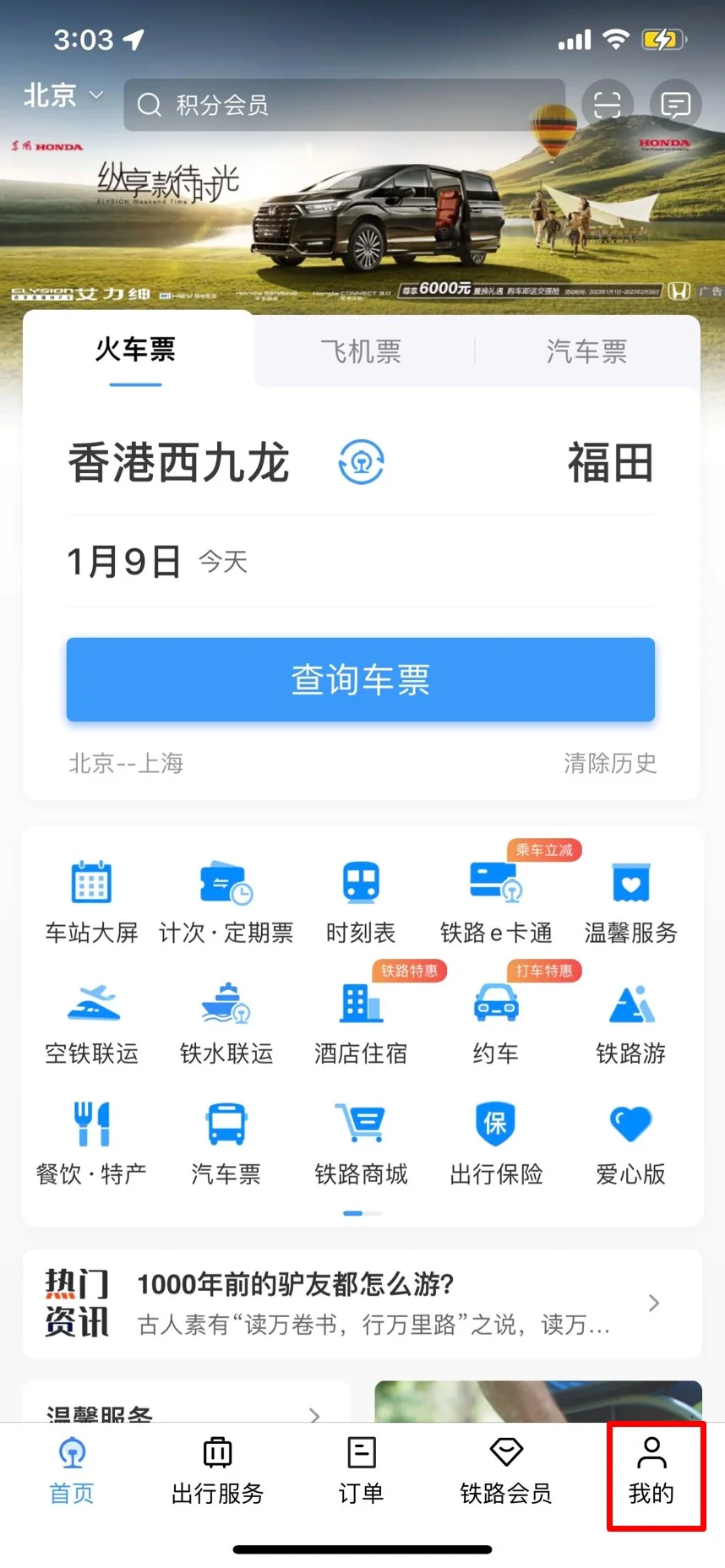
Open the Me tab in the 12306 app. The language switch starts from this profile area.
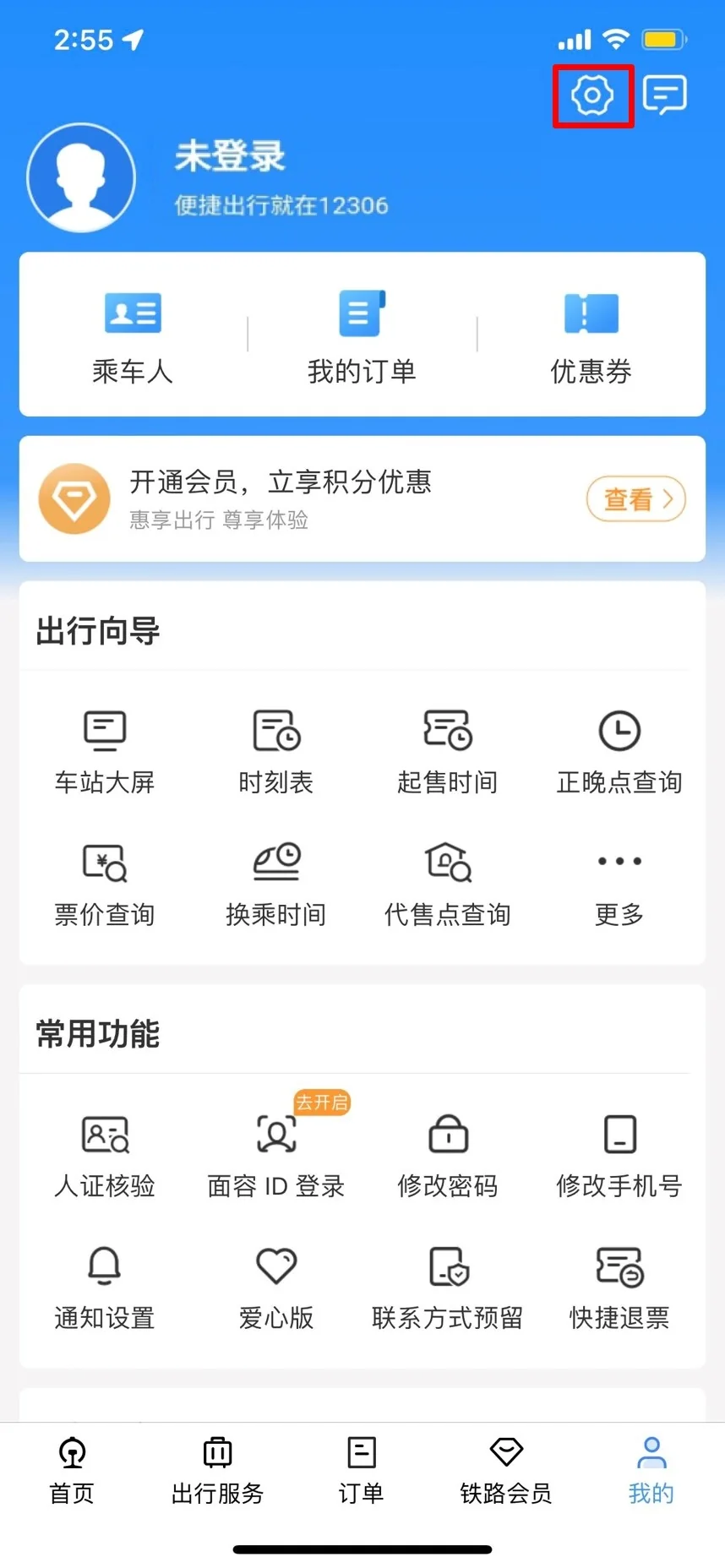
Tap the settings icon in the top-right corner of the 12306 app.
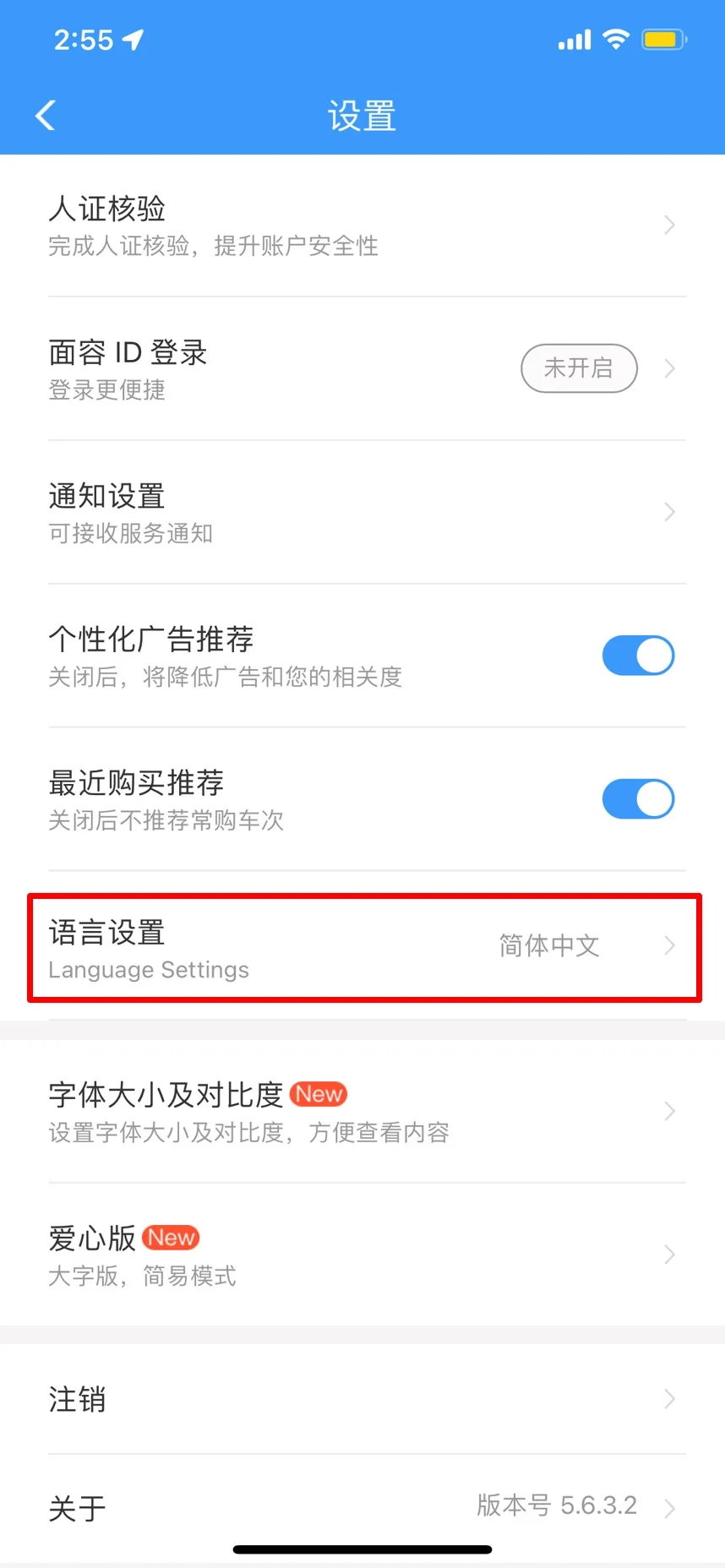
Choose Language Settings in the 12306 settings screen.
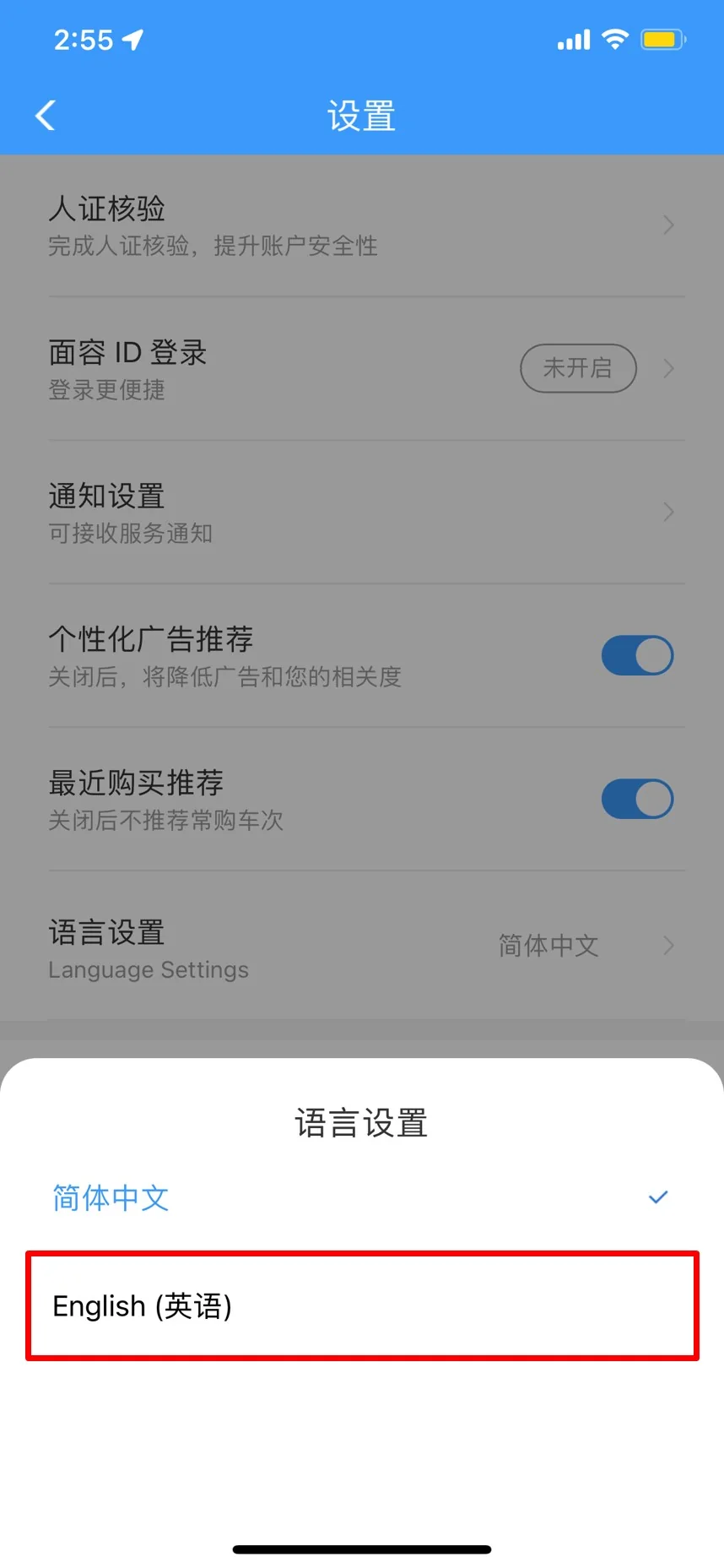
Select English. This makes the 12306 app easier for foreign passport users.
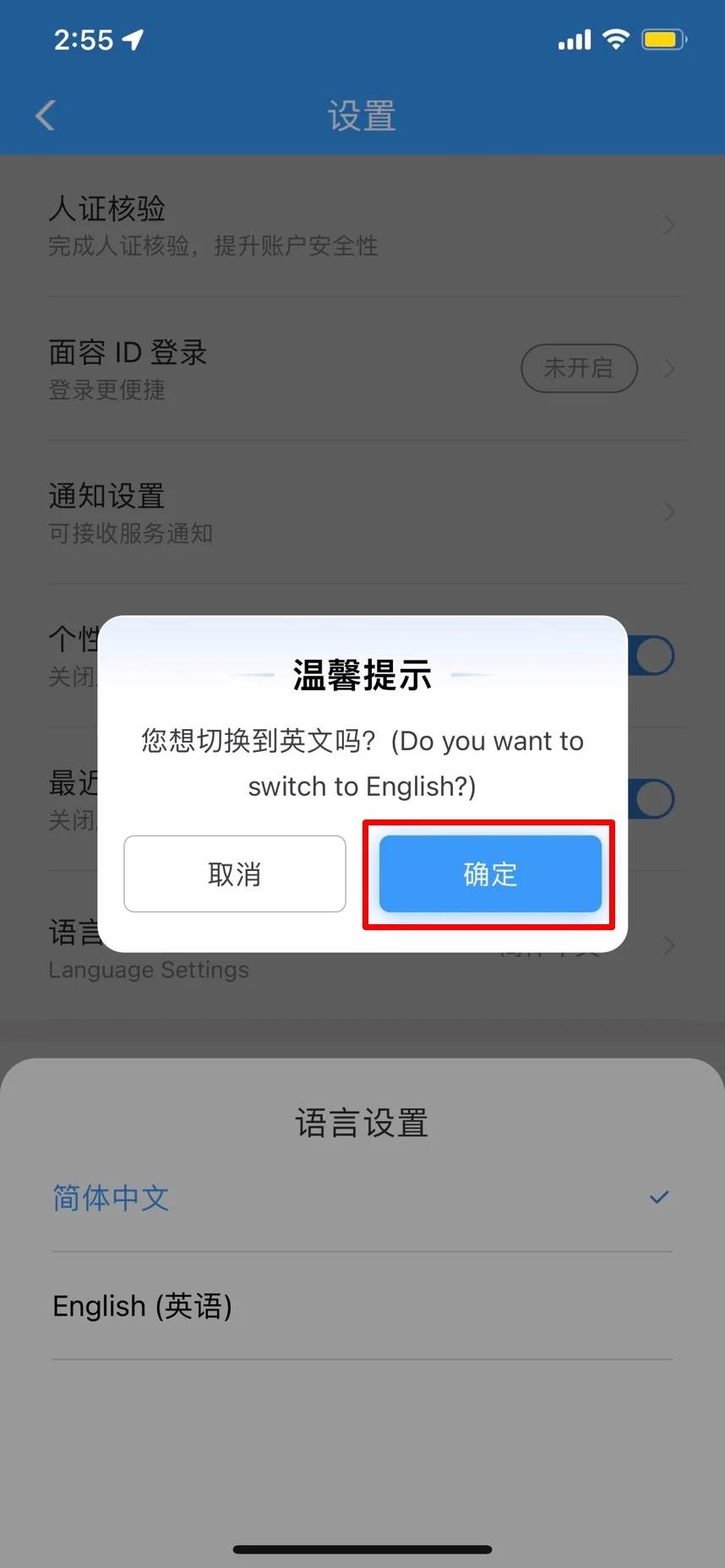
Confirm the language switch when the 12306 app asks whether you want to switch to English.
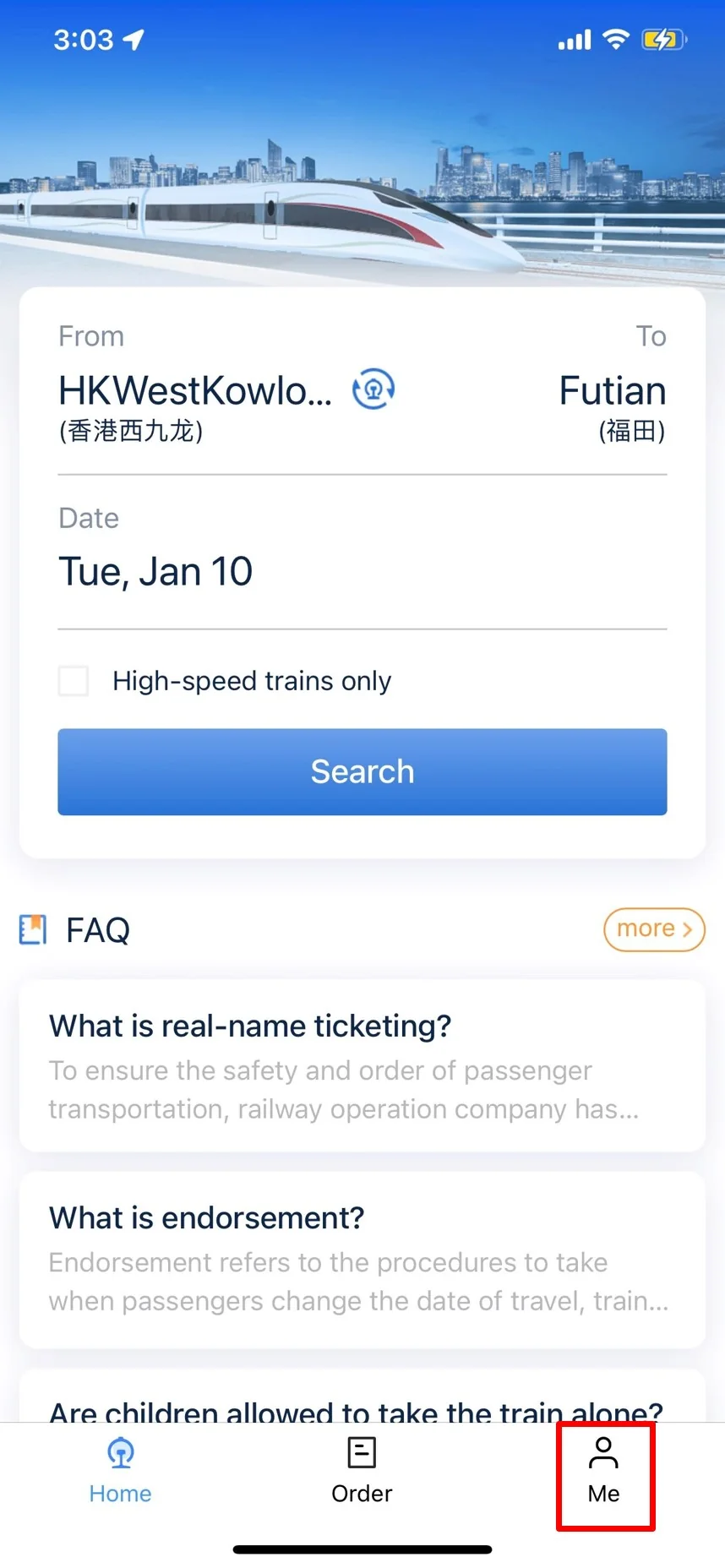
After switching, the 12306 English app shows the train search screen and FAQ cards.
Step 2: Register a 12306 account with your foreign passport
In the English app, open Me and tap Register. The English registration path is intended for users with foreign passports.
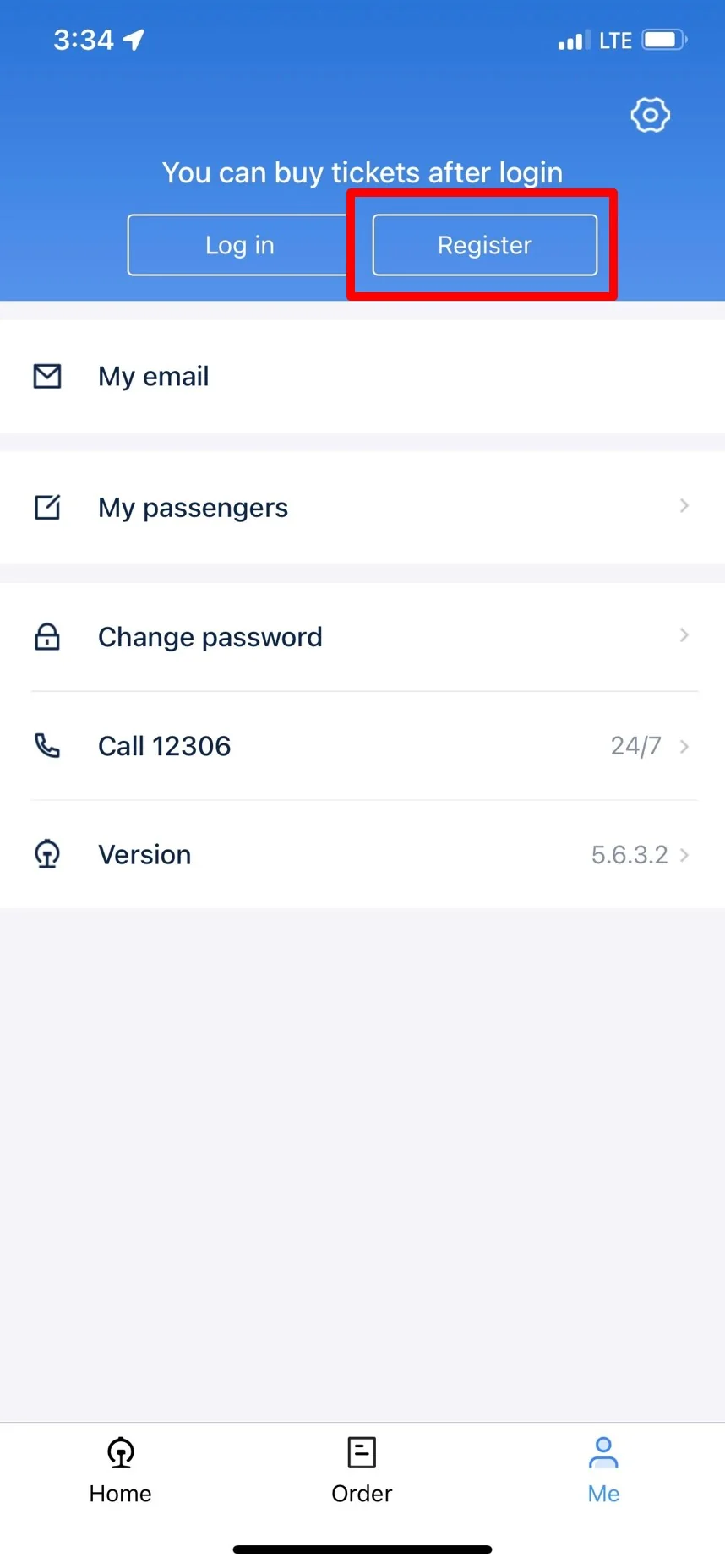
Tap Register in the 12306 English app before buying tickets.
12306 recommends scanning or uploading your passport for quick entry. This can reduce typing mistakes, but you still need to check every field carefully.
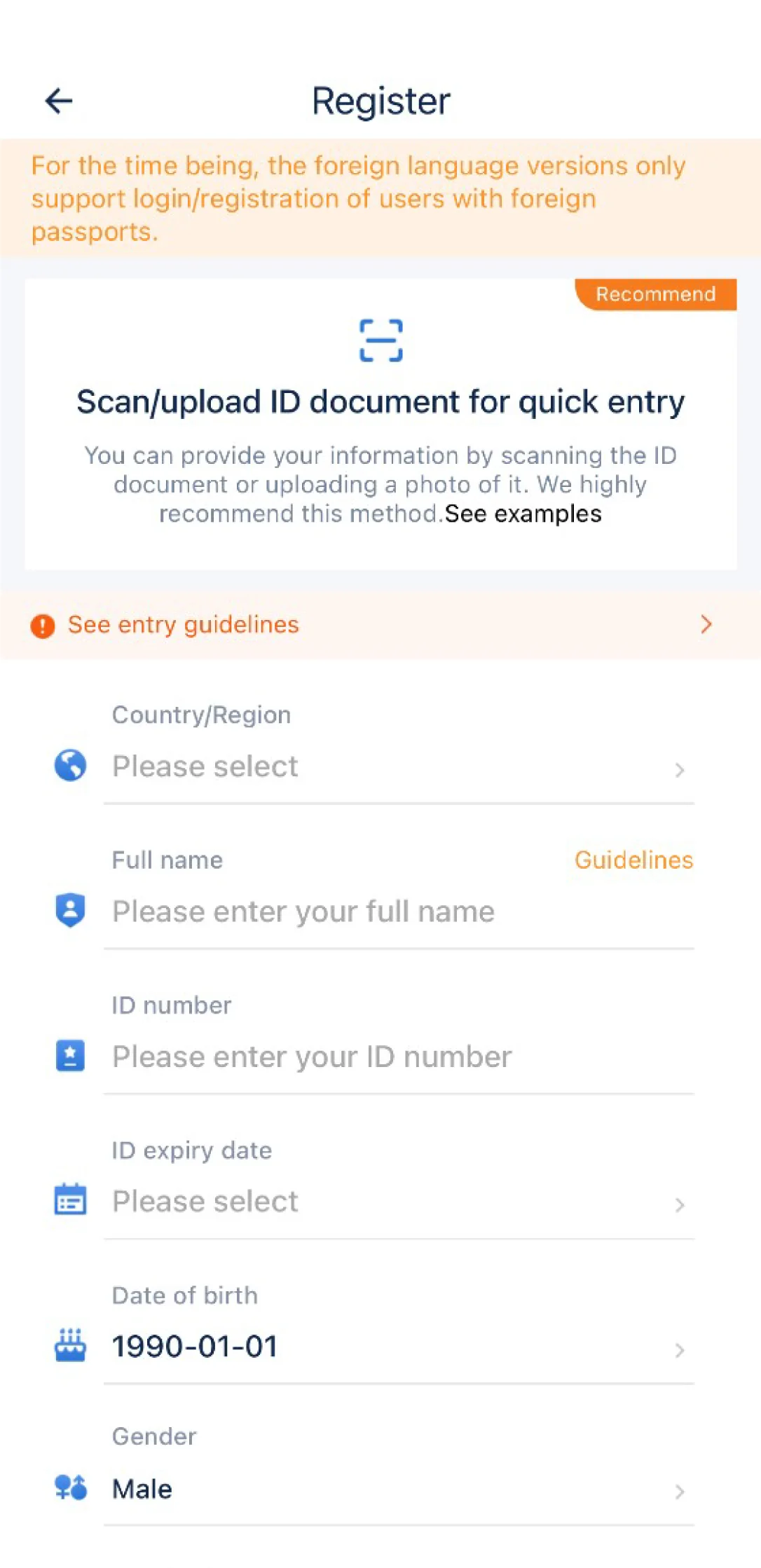
12306 registration form for foreign passport holders, including country or region, full name, passport number, expiry date, date of birth, and gender.
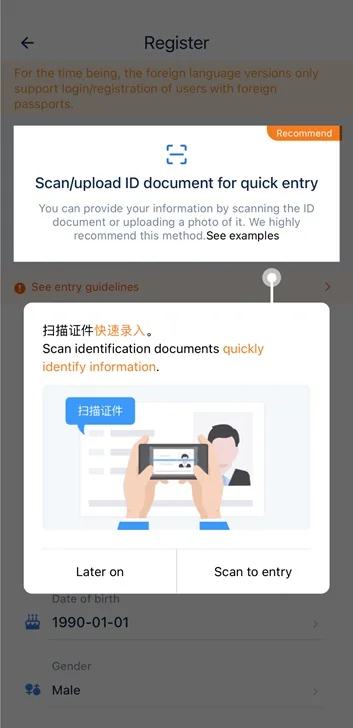
The quick-entry prompt lets 12306 scan your passport and identify information automatically.
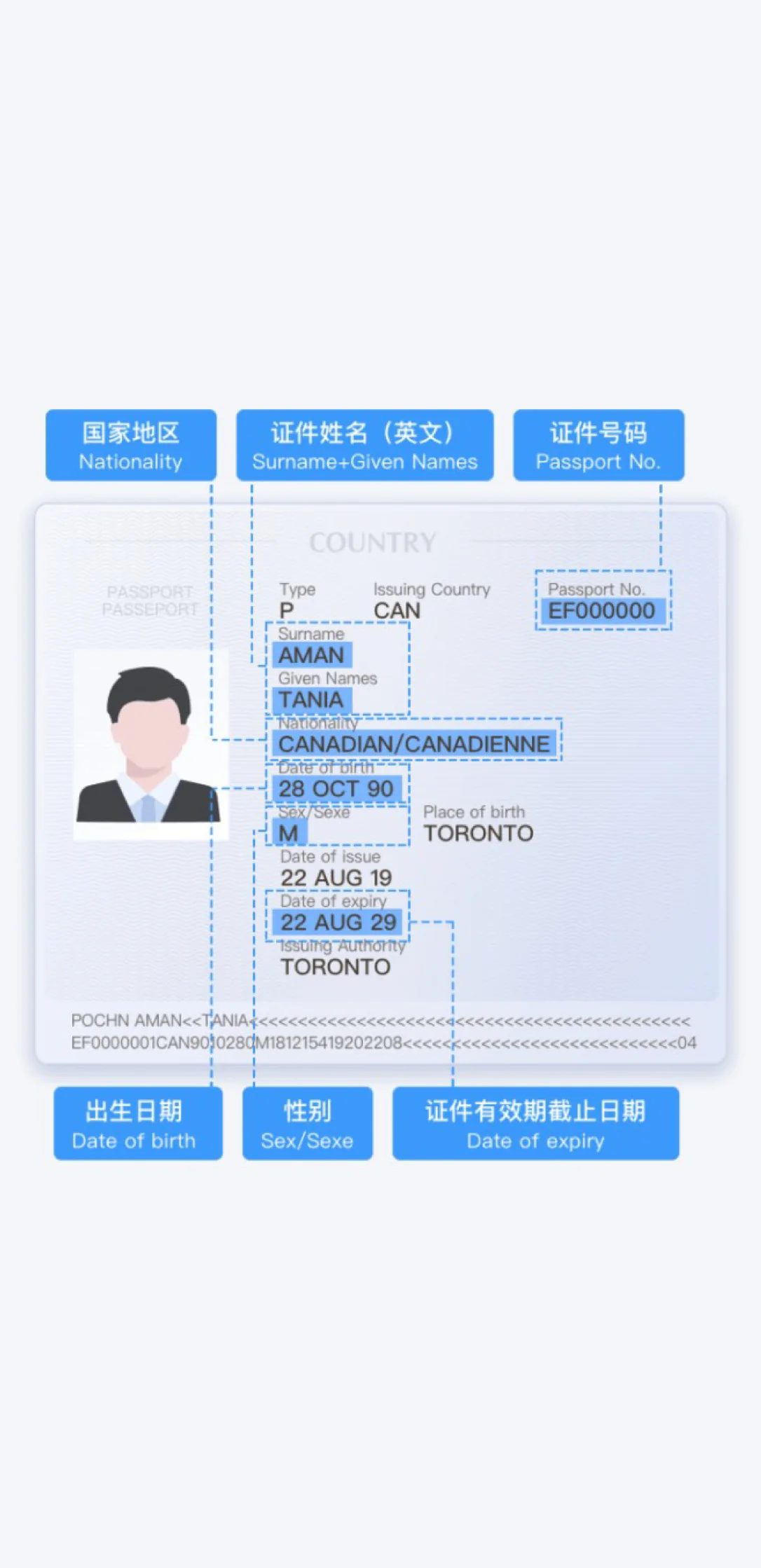
Passport fields needed for 12306 registration: nationality, surname and given names, passport number, date of birth, gender, and expiry date.
If you enter details manually, use this order for the name field: surname followed by given names. Keep it under the character limit and avoid punctuation that does not appear in your passport machine-readable data.
Enter your name in the same order and spelling as the passport's machine-readable/visual zone. If your given name or surname contains a space, type that space, and put a space between surname and given name. A name mismatch is the most common cause of failed verification and gate problems, because the name must match across registration, verification, ticket, and station entry. Only a passport is accepted for foreign self-registration—no other ID type works on the English platform.
Step 3: Activate your 12306 account by email
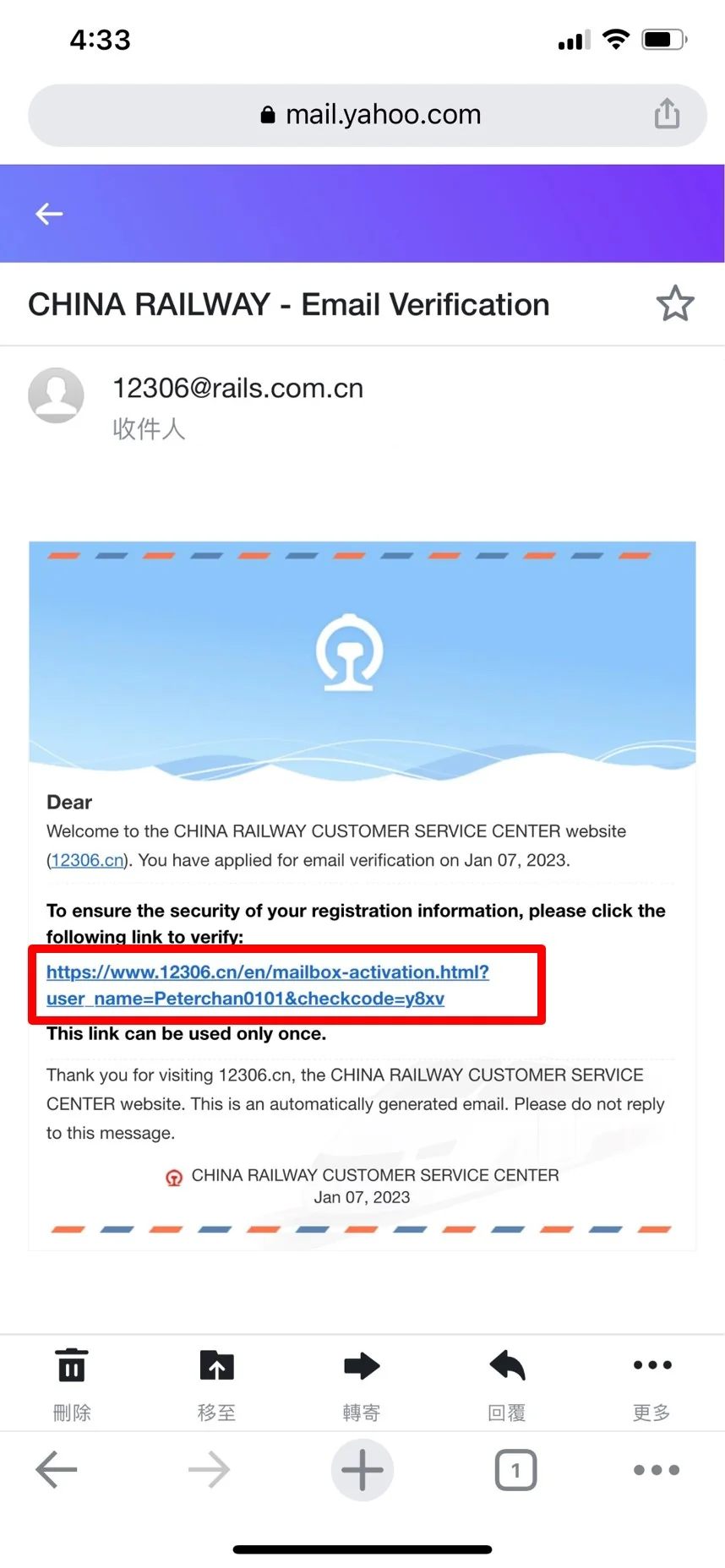
After registration, 12306 sends an activation email. Open your inbox, check spam if needed, and click the activation link. The link is normally single-use.
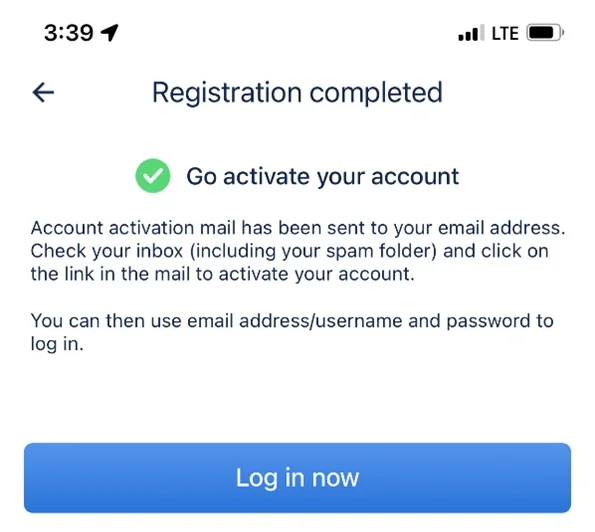
12306 registration completed screen. The app tells you to activate your account from the email link.
12306 email verification link for account activation. Open the link from the email address you used during registration.
Once activation succeeds, return to the app and log in with your email address or username and password.
Step 4: Complete real-name passport verification
Registration and activation are not always enough. To buy China train tickets smoothly on 12306, your passenger identity should be verified. Log in, open Me, tap the profile area, and check User information.
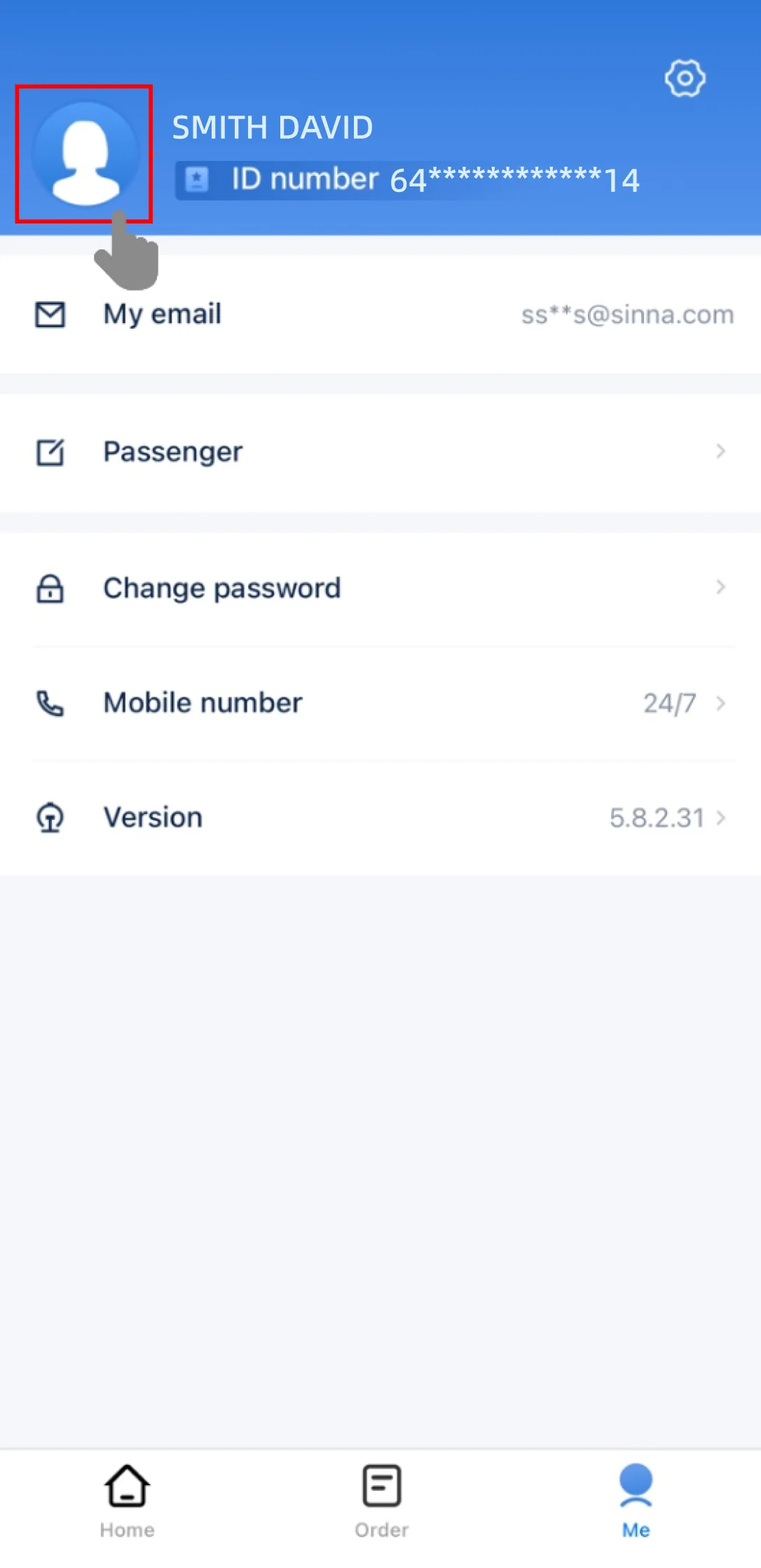
A logged-in 12306 profile after registration. Tap the profile area to check passenger verification details.
If the app shows verification failed, use the reupload option for the passenger ID document. You may need to submit both the passport information page and a photo of yourself holding the passport.
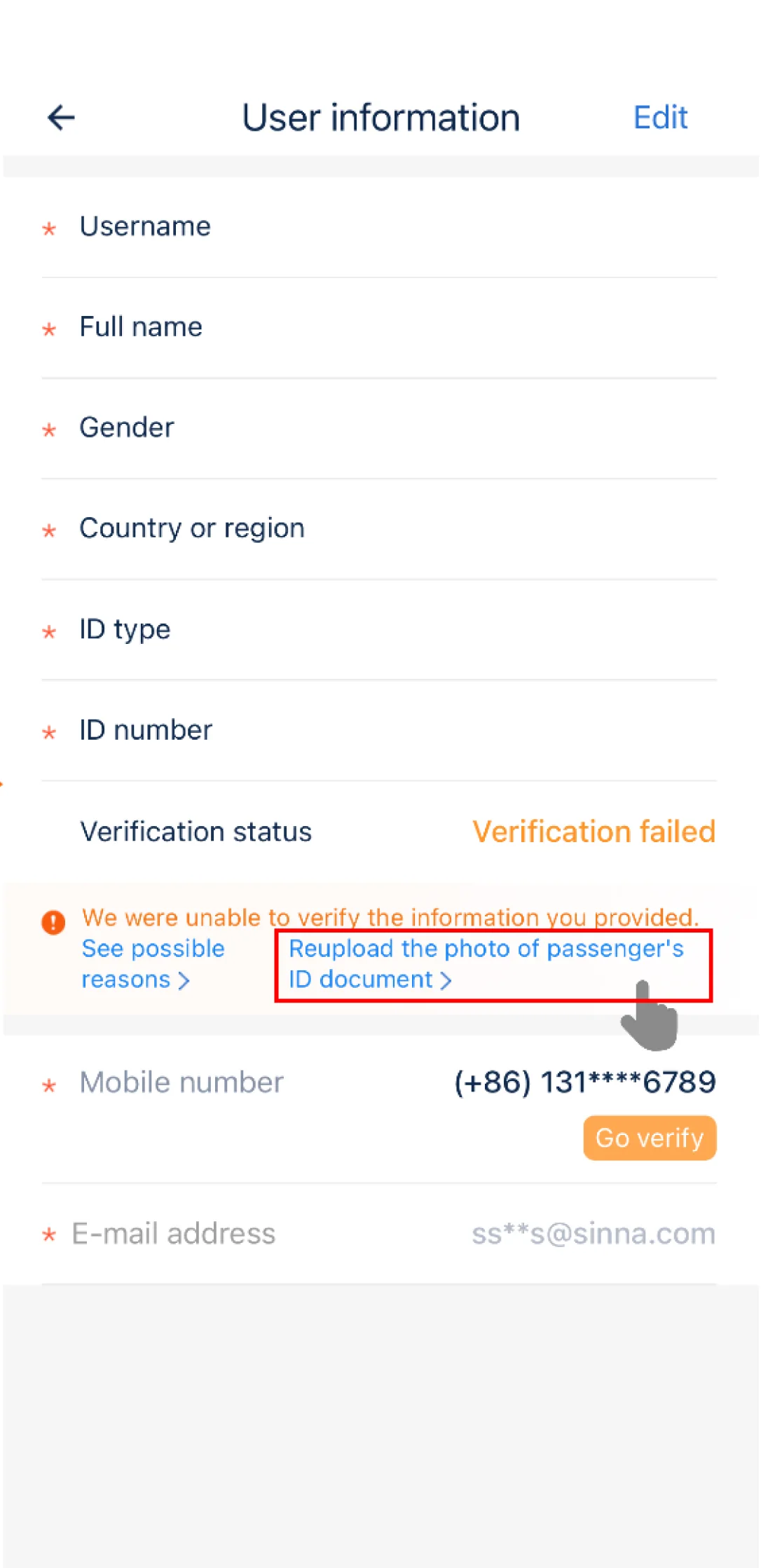
12306 verification failed screen with the reupload passport photo option.
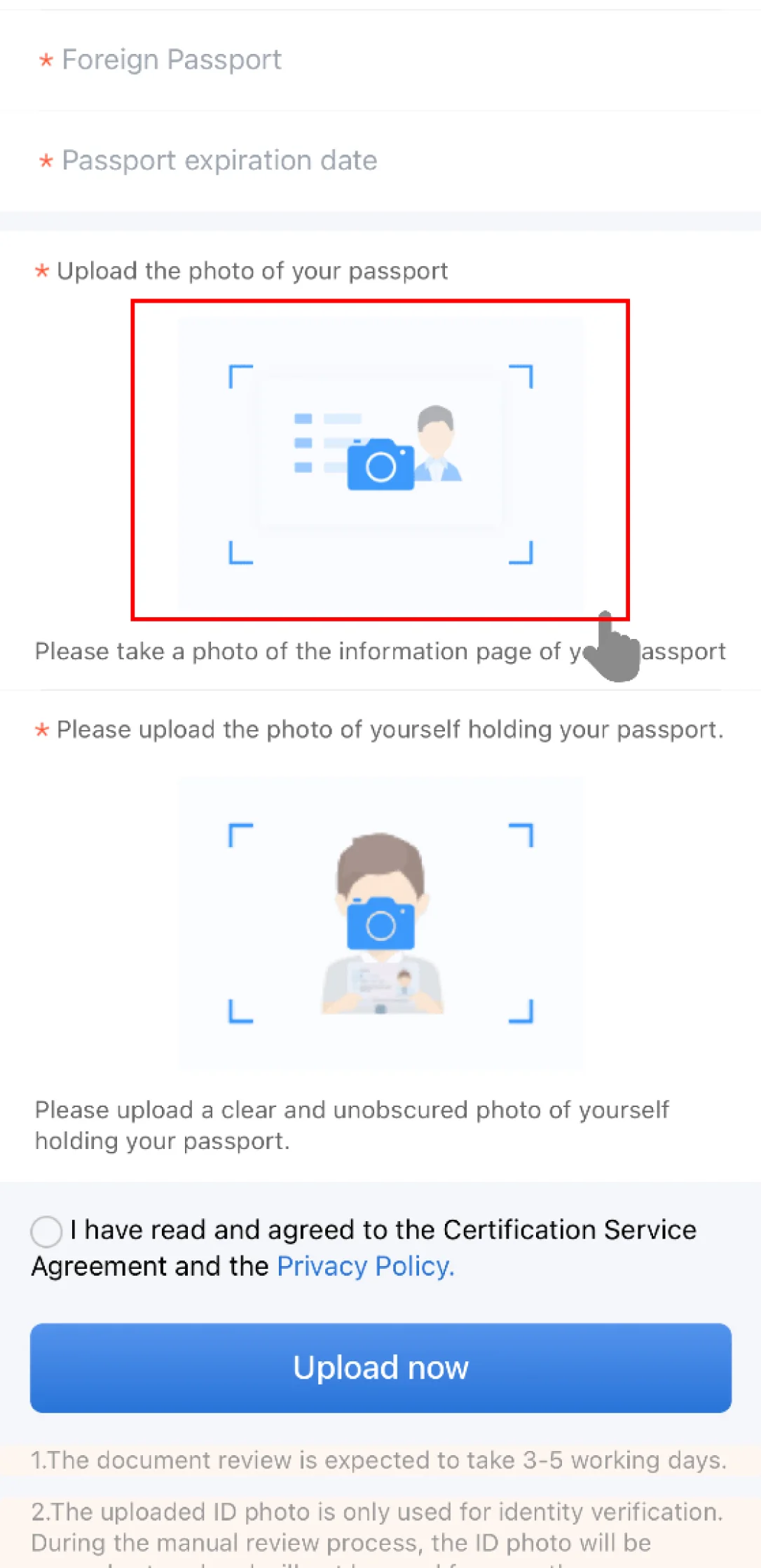
12306 passport photo upload requirements for foreign passport verification.
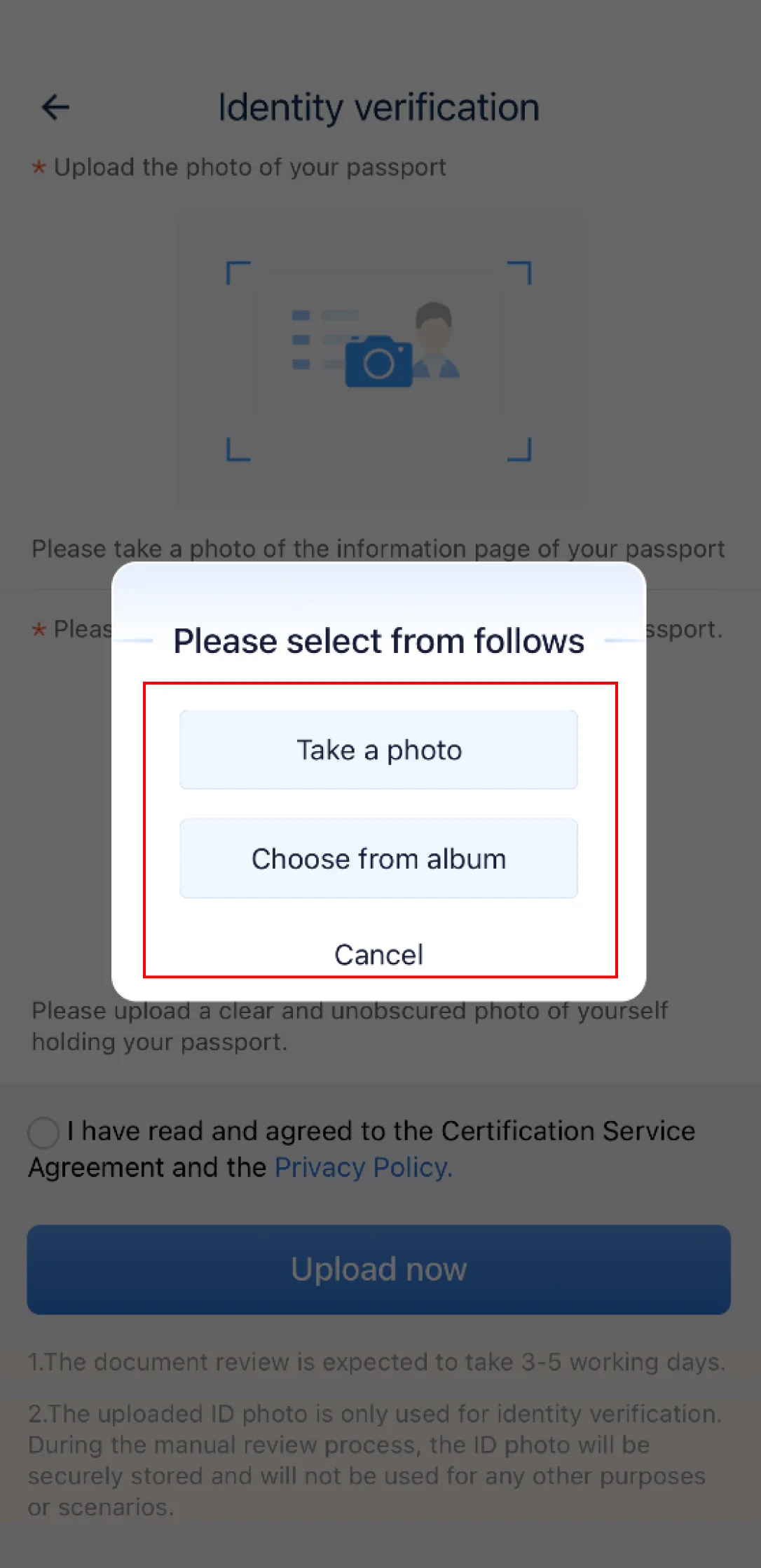
Choose camera or album when uploading passport photos for 12306 identity verification.
Tips for foreigners using 12306
Use clear, unobscured photos. Blurry passport scans are a common reason for rejection.
Make sure the passport number, name, date of birth, and expiry date are readable.
Manual verification can take several working days, so do not wait until the day you need tickets.
Since 28 November 2023, China Railway lets foreign passport holders complete real-name (实名制) identity verification entirely online—either automatically from the name/nationality/passport number you enter, or by uploading a photo of your passport info page for manual review. Passing online verification means you no longer have to visit a station ticket window to verify your identity before traveling. Important nuance: online verification confirms your account; it does not by itself turn every station's automatic gate into a passport reader (see boarding section). Verification can clear in a few minutes but officially can take up to about 3 working days, so verify a few days before you plan to buy peak-season tickets.
Step 5: Search and book China train tickets
After your account is active and your passport information is verified or ready to be verified, go back to the home search screen. Enter the departure city, arrival city, travel date, and whether you only want high-speed trains.
Search your route, for example Beijing to Shanghai or Hong Kong West Kowloon to Futian.
Choose the train number and seat class that match your schedule.
Select yourself or add another passenger under My Passengers.
Confirm that the passport number on the passenger record matches the passport you will carry.
Pay within the time limit and save the booking confirmation.
At the station, use the same passport to enter, pass identity checks, and board. For most e-ticket routes, the passport is your boarding credential; a printed itinerary sheet is not a ticket.
Most China train tickets go on sale exactly 15 days before the departure date, and new dates are released at 14:00 Beijing time. (Some sleeper D-trains open 20 days out and certain C-trains 10 days out.) For Spring Festival, National Day (Oct 1–7), and the May Labor Day holiday, popular routes can sell out within minutes of release, so set an alarm for 13:55 Beijing time and have your passenger and payment details ready.
Common problems and fixes
The app says my ID number already exists
This can happen if a third-party seller previously created a passenger record using your passport. Try logging in with known details first, then contact 12306 support or resolve it at a station ticket office if the account cannot be recovered.
The email activation link does not arrive
Check spam, wait a few minutes, then request another activation email. Use a mainstream email provider if a custom domain blocks the message from [email protected].
Passport verification failed
Reupload clearer images. The information page should be flat, readable, uncropped, and free of glare. The selfie holding your passport should show both your face and the passport clearly.
Payment fails on 12306
Try another supported card or payment method. If payment keeps failing and the route is urgent, use a trusted booking platform as a fallback, but keep your passport details exactly the same as your 12306 passenger record.
This means your passport number is already tied to an account—often one a hotel, travel agent, or you created earlier. If it was you, use 'Forgot password' / account recovery to get back in. If someone else registered it, you must deregister (注销) that old account before you can register again: you can apply to cancel it in the 12306 app, or go to any railway station ticket window with your passport and ask staff to deregister the account linked to that number. After deregistration, register again normally.
How to enter the station and board with a passport
Boarding is the step competitors get wrong, because it depends on the station. China's e-ticket gates were built for Chinese ID cards, so passport gate-reading is NOT universal. At a handful of upgraded international stations—Shanghai Hongqiao, stations on the Guangzhou–Shenzhen line, and the Hainan island loop line—you can tap your passport directly at the self-service gate. At most other stations you cannot use the automatic gate: walk to the staffed (manual) lane, show your passport, and staff will verify you and let you through. You generally do NOT need to print anything or collect a paper ticket first—your e-ticket is tied to your passport. Always arrive 30–60 minutes early in case the manual lane has a queue.
What it costs and how to pay
12306's English platform accepts the four major international card networks—Visa, Mastercard, JCB, and Diners Club—as well as Alipay and WeChat Pay if you already have them linked. Prices are shown and charged in Chinese yuan (RMB); international card payments are settled through Bank of China. 12306 itself does not add a booking surcharge—unlike third-party resellers such as Trip.com, which typically add roughly a 3–5% service fee on international cards. If your foreign card is declined, switch to Alipay (Tour Pass / linked international card) as a fallback, which often clears when a raw card attempt fails.
Refund and change fees
Refund fees (as a % of fare, before departure): 8+ days out: free; 48h–8 days: 5%; 24–48h: 10%; under 24h: 20%; refunds are processed 24 hours a day. Changing (改签) a ticket to another train: 48h+ before departure: free; 24–48h to a same-day or earlier train: free; 24–48h to a later-day train: 5%; under 24h to a later train: 15%; after the original departure time: 40%. Tickets are non-transferable and the name cannot be changed.
FAQ
What is real-name ticketing on 12306?
Real-name ticketing means the passenger name and valid ID document must match the ticket. Foreign travelers use a valid foreign passport, and the same passport must be used for booking, verification, station entry, and boarding.
What ID documents are accepted on the 12306 English platform?
The 12306 English website and app are designed for valid foreign passports. If you hold a Chinese resident ID, Mainland Travel Permit, or other Mainland document, use the Chinese platform flow instead.
Can I buy China train tickets for another person?
Yes, after logging in you can add another traveler to My Passengers and enter their name, passport type, and passport number. Their ID status must become verified or ready to be verified before ticket purchase works smoothly.
Is 12306 available 24 hours a day?
Information query and refunds are generally available 24 hours, while ticket sales and ticket changes normally run from 05:00 to 01:00 the next day. On Tuesdays, ticket sales and changes may end earlier, around 23:30.
What should I do if passport verification fails?
Open Me, tap the profile area, check User information, then use the reupload passport photo option. Upload a clear passport information page and a clear photo of yourself holding the passport. Manual review can take several working days.
Related: crossing China's borders by train · the Beijing to Chengdu train · riding China's high-speed trains solo · train ticket booking backup plans
Can I call 12306 in English for help?
Yes. Dial 12306 inside China (or +86-xx-12306 from abroad, using a Chinese city area code). After the menu, press 9 for English-language assistance. Note the hotline and online sales operate roughly 05:00–01:00 Beijing time; only refunds run 24 hours.
Tags
Get the Full Step-by-Step Guide
Complete tutorials with offline access, interactive tools, and real-time data.